5 Operation
Operation manual
11
FTXTA30C2V1B(W)(B)
Daikin room air conditioner
3P728539-2D – 2023.09
INFORMATION
Each time or is pressed, the time setting
advances by 10 minutes. Holding the button down will
change the setting rapidly.
4 To stop operation, press .
Result: and disappear from the LCD and the timer
lamp goes off. and the day of the week are displayed on the LCD.
INFORMATION
When you set the ON/OFF timer, the time setting is stored
in the memory. When the wireless remote control batteries
are replaced, the remote control keeps the time setting for
the ON/OFF timer, but the timer is cancelled.
Night set mode
When the OFF timer is set, the air conditioner
automatically adjusts the temperature setting (0.5°C up in
cooling, 2.0°C down in heating) to prevent excessive
cooling/heating and ensure a comfortable sleeping
temperature.
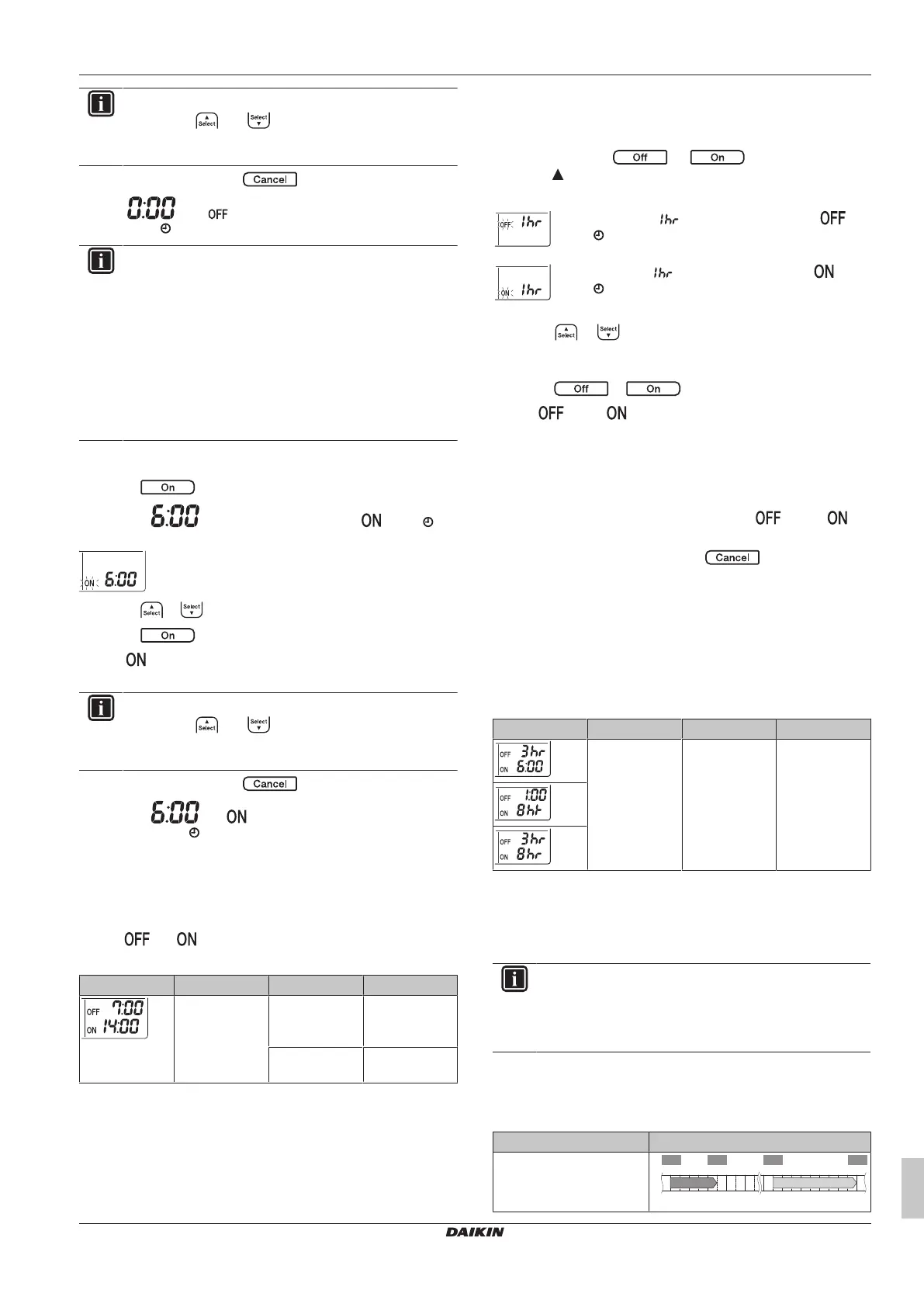
To start/stop ON timer operation
1 Press to start.
Result: is displayed on the LCD and blinks. and
the day of the week disappear from the LCD.
2 Press or to change the time setting.
3 Press again.
Result: and the set time are displayed on the LCD. The timer
lamp lights up.
INFORMATION
Each time or is pressed, the time setting
advances by 10 minutes. Holding the button down will
change the setting rapidly.
4 To stop operation, press .
Result: and disappear from the LCD and the timer
lamp goes off. and the day of the week are displayed on the
LCD.
To combine OFF timer and ON timer
1 To set the timers, refer to "To start/stop OFF timer
operation"[410] and "To start/stop ON timer operation"[411].
Result: and are displayed on the LCD.
Example:
Display Current time Set while… Operation
6:00 the unit is
operating.
Stops at 7:00
and starts at
14:00.
the unit is NOT
operating.
Starts at 14:00.
Note: If the timer setting is active, the current time is NOT displayed
on the LCD.
5.9.2 12 hour countdown OFF/ON timer setting
To start/stop countdown OFF/ON timer operation
1 Press and hold or for about 5 seconds;
when blinks, release the button.
Result:
For the OFF timer, appears on the LCD and
blinks, and the day of the week disappear from the
LCD.
For the ON timer, appears on the LCD and
blinks. and the day of the week disappear from the
LCD.
2 Press or to change the time setting. The time can be
set between 1~12hours. Each pressing of the button increases
or decreases the time setting by 1hour.
3 Press or to confirm the setting.
Result: and/or and the set time are displayed on the LCD.
The timer lamp lights up. The time displayed on the LCD will
automatically count down by 1 hour for every hour that passes.
Example: If the OFF timer is set to 3hours, the displayed time will
change as follows: 3hr → 2hr → 1hr → blank (OFF)
4 To change the setting back to 24 hour OFF/ON timer, repeat
step 1 when on the home screen when and/or are
NOT blinking.
5 To cancel the timer setting, press .
To combine the timer display modes
Different display modes (24 hour and 12 hour countdown OFF/ON
timer) can be used for the OFF timer and ON timer simultaneously.
1 For setting, see "To start/stop OFF timer operation"[410], "To
start/stop ON timer operation" [4 11] and "To start/stop
countdown OFF/ON timer operation"[411].
Example:
Display Current time Set while… Operation
22:00 the unit is
operating.
▪ Stops at 1:00
(3hours after
present time)
▪ Starts at
6:00. (8hours
after present
time)
Note: If the timer setting is active, the current time is NOT displayed
on the LCD.
5.10 Weekly timer operation
INFORMATION
The following setting procedure is for the wireless remote
control only. However, we recommend to perform the
weekly timer setting using the ONECTA app. Refer to
Wireless LAN connection for more information.
With this operation, you can save up to 4 timer settings for each day
of the week.
Example: Create a different setting from Monday to Friday and a
different setting for weekends.
Day of the week Setting example
Monday
▪ Make up to 4settings.
6:00 8:30 17:30
25°C 27°C25°C
22:00
1 2 3 4
ON OFF ON OFF















 To Next Page