Procedure to Remove Electric Parts and Remote Controller Si241306
4 Removal Procedure
2. Procedure to Remove Electric Parts and Remote
Controller
Procedure Warning Be sure to wait for 10 minutes or more after turning off all power
supplies before disassembling work.
Step
Procedure Points
1
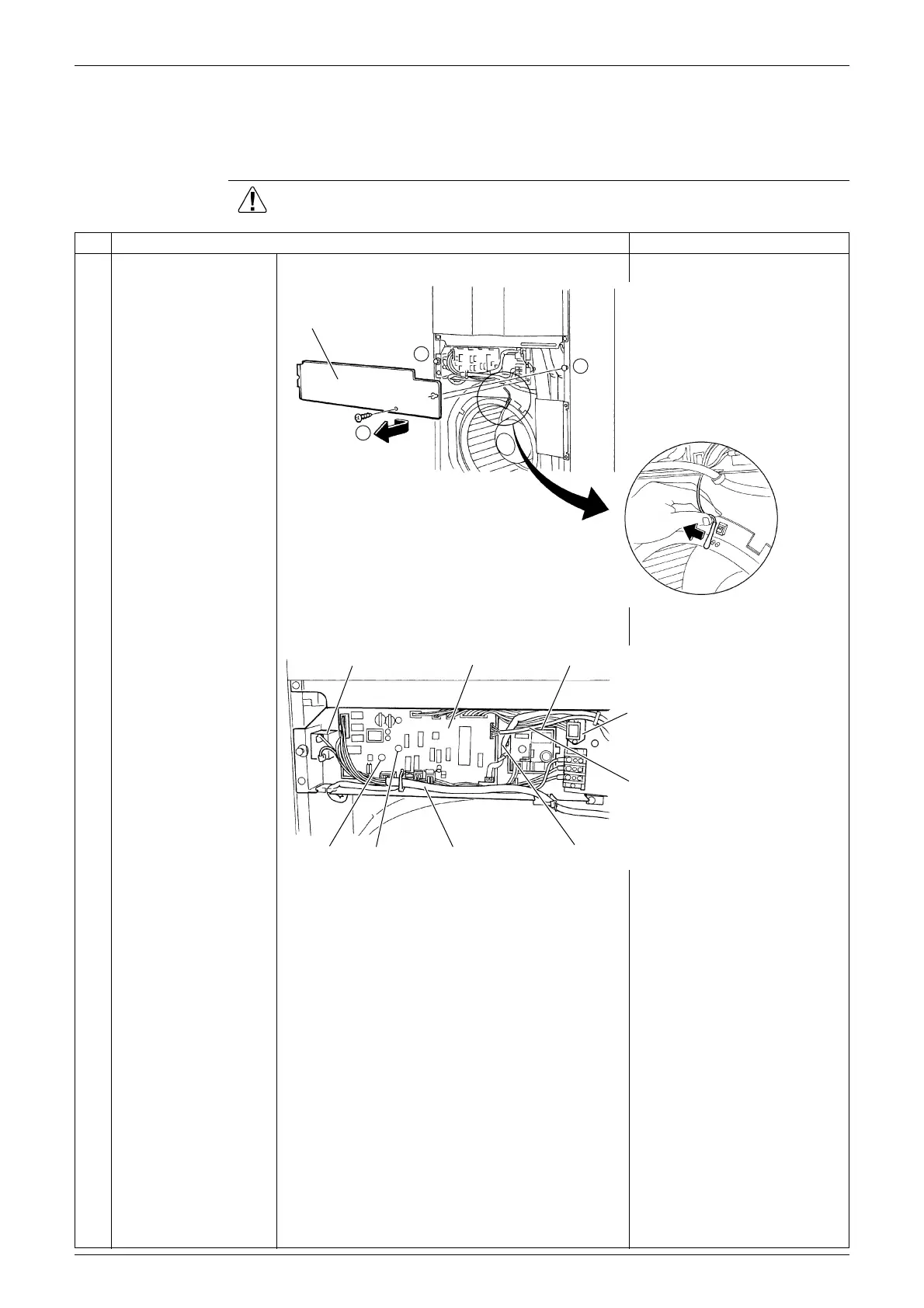
To remove switch box
cover, dismount screw
(A), loosen screw (B)
and slide the cover to
right side.
Remove suction air
thermistor from bell
mouth.
2
The figure right shows
part layout inside switch
box.
3
Disconnect remote
controller cord from
switch box.
Switch box cover
A
A
B
Capacitor for fan Control PCB Power supply PCB
Remote controlle
terminal strip
Heat exchanger
thermistor
Suction air thermistorLead wire for fan motor
LED-B LED-A



 To Next Page