54
System Settings
Menu Item
90 91
See pages
to
Alarm E-mail
* The e-mail
function is
included in
an option
sold
separately,
where
combined
with the Web
function.
This option is used to, when the Intelligent Touch Controller detects a malfunction in
such as the air conditioning unit (*1), send an e-mail containing the date, the error
code and so on to the pre-registered administrators at three different addresses
maximum.
*1 : Where the malfunction refers a malfunction that occurs in the air conditioning unit
or other facilities.
When a communication error between the intelligent Touch Controller and the air
conditioning unit or other facilities occurs, no e-mail will be sent.
If an air conditioning warning occurring during a test run is defined as a
malfunction, an e-mail notification is sent.
To use the e-mail function, the following equipment is required :
SMTP (Simple Mail Transfer Protocol) server
a server which can transfer the e-mails complying with RFC821
SMTP-AUTH server (in case of using SMTP-AUTH)
a server which can transfer the e-mails complying with RFC2554
e-mail receiving terminal
a terminal which can receive the e-mails complying with RFC822
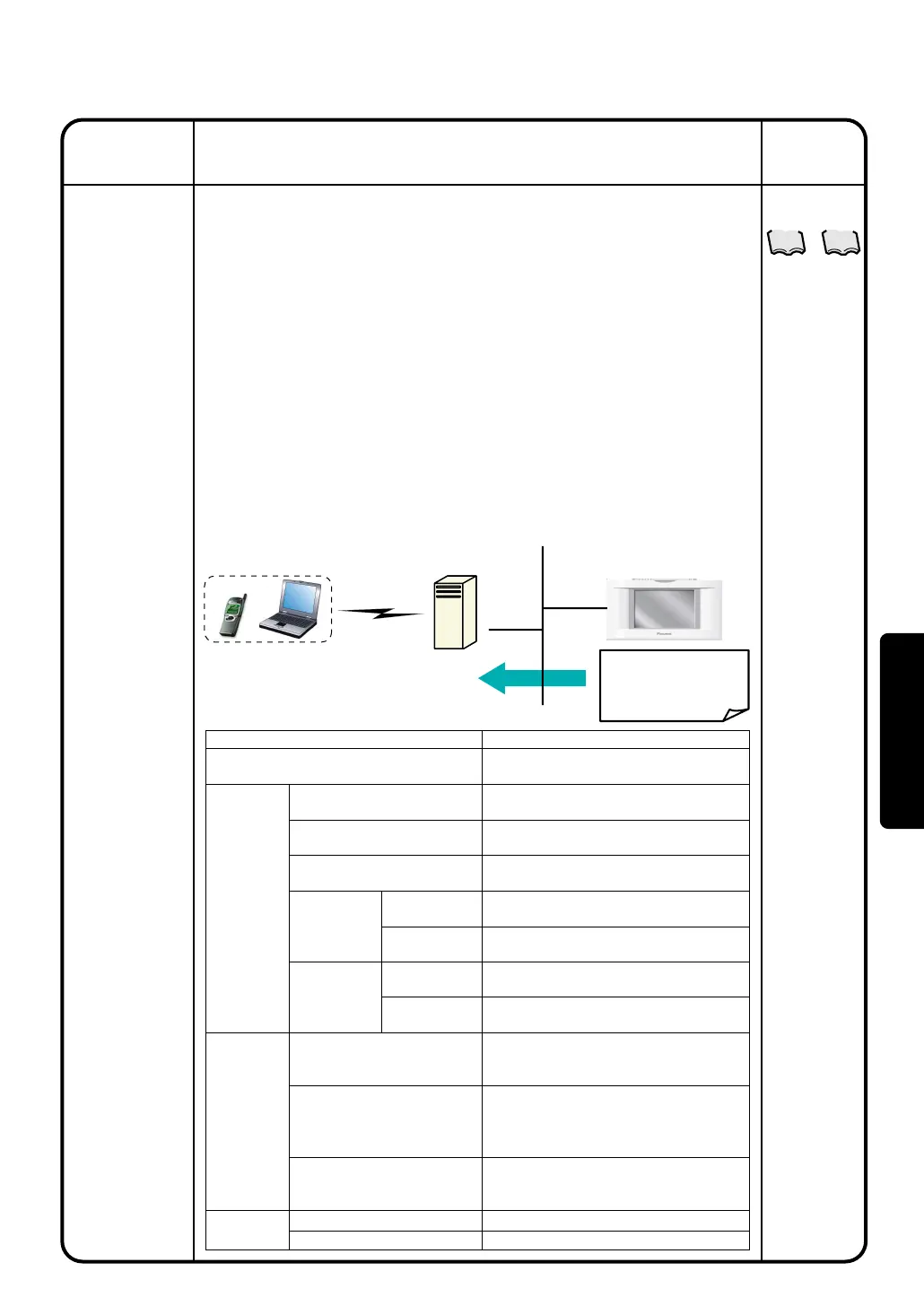
The system configuration is drawn in the figure below :
Item
Validity/Invalidity of e-mail function
SMTPServer
Sending
Conditions
E-mail
Description
Setting of Invalidity does not allow
sending e-mails.
Specifies URL (IPaddress) of the
SMTP server.
Specifies a port number of the SMTP
server.
Select the authentication method for sending mail.
(No Authentication / POP bofore SMTP / SMTP-AUTH)
Specifies URL (IP address) of the
POP server.
Specifies a port number of the POP
server.
User ID used for authentication
Password used for authentication
Specifies destination groups to which
an e-mail will be sent at a time of
malfunction.
Specifies a time interval to retry sending
an e-mail when the malfunction has not
been cleared. (setting range : 1-72
hours, steps : one hour)
Specifies a string of characters
displayed in the Subject column when
the e-mail is received.
Specifies e-mail addresses (to).
Specifies e-mail address (from). Omissible.
SMTP Server Address
SMTP Server Port Number
Authentication method
Setting items
when [POP
before SMTP]
is valid
Setting items when
[POP before
SMTP] or [SMTP-
AUTH] is valid
Sent-to Groups
Sending Interval
ITC Identification Name
E-mail Address (to)
E-mail Address (from)
POP Sever Address
POP Server Port
Number
User ID
Password
Operation
(Reference)
Description
e-mail receiving
terminal
Internet
In this setting procedure, the following items are set.
Send an e-mail
when a malfunction
occurs
SMTP server
Intelligent Touch Controller
Ethernet
(10BASE-T)
Operation



 To Next Page