59
System Settings
Menu Item
92 94
See pages
to
In the following section, utilization of the simple interlock control function is described
while giving some examples.
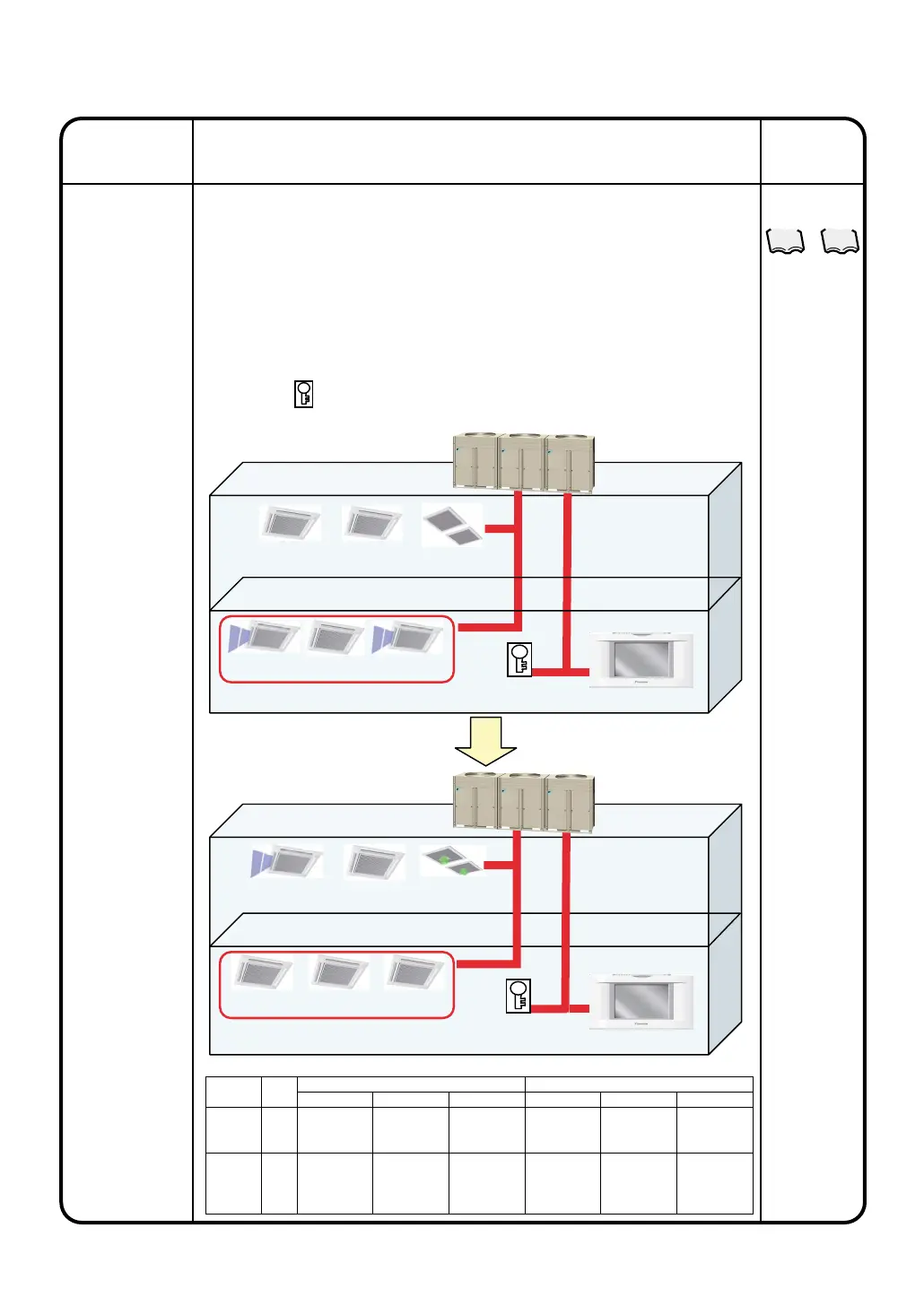
Referring to the figure below, the setting examples of the simple interlock control
program are provided.
[Example 1 of interlock control]
When any of the air conditioning units on the second floor (1-00, 1-01) start
operating, HRV (1-02) will be started. When all of the air conditioning units (1-00, 1-
01) on the second floor stop, HRV (1-02) will be stopped.
[Example 2 of interlock control]
When the key of the first floor (2-03)* is locked, the air conditioning units (2-00 to 2-
02) will be stopped and start/stop operations of the hand-held remote controller will
be prohibited.
* The mark shown in the figure below represents a key. In this example, locking
the key to the Di unit allows a closing (ON) connection point to be connected.
¡Before the interlock control is
activated
¡
While the interlock control is
active
Operation
(Reference)
Description
2-03
(open)
Air conditioning unit (1-00) in operation
Di unit (2-03) locked
Zone Name : Zone 1F
Zone Name : Zone 1F
2-03
(closed)
(HRV)
1-00 1-01 1-02
(HRV)
1-00 1-01 1-02
2-00 2-01
2-02
2-00 2-01
2-02
Settings for performing the control operations described above
Simple
Interlock
Interlock
Program
Number
Program 1
(two interlock
operations)
Program 2
(one interlock
operations)
Interlock
input point
1-00
1-01
2-03
Input Condition
Anyone or more
of the groups ON
All ON
Control Item
Start operation
• Stop
•
hand-held
remote controller
• Prohibition of
start/stop
Interlock Output 1
Control Target
1-02
Zone 1F
Input Condition
All OFF
No detection
Control Item
Stop
–
Interlock Output 2
Control Target
1-02
–



 To Next Page