78
1.
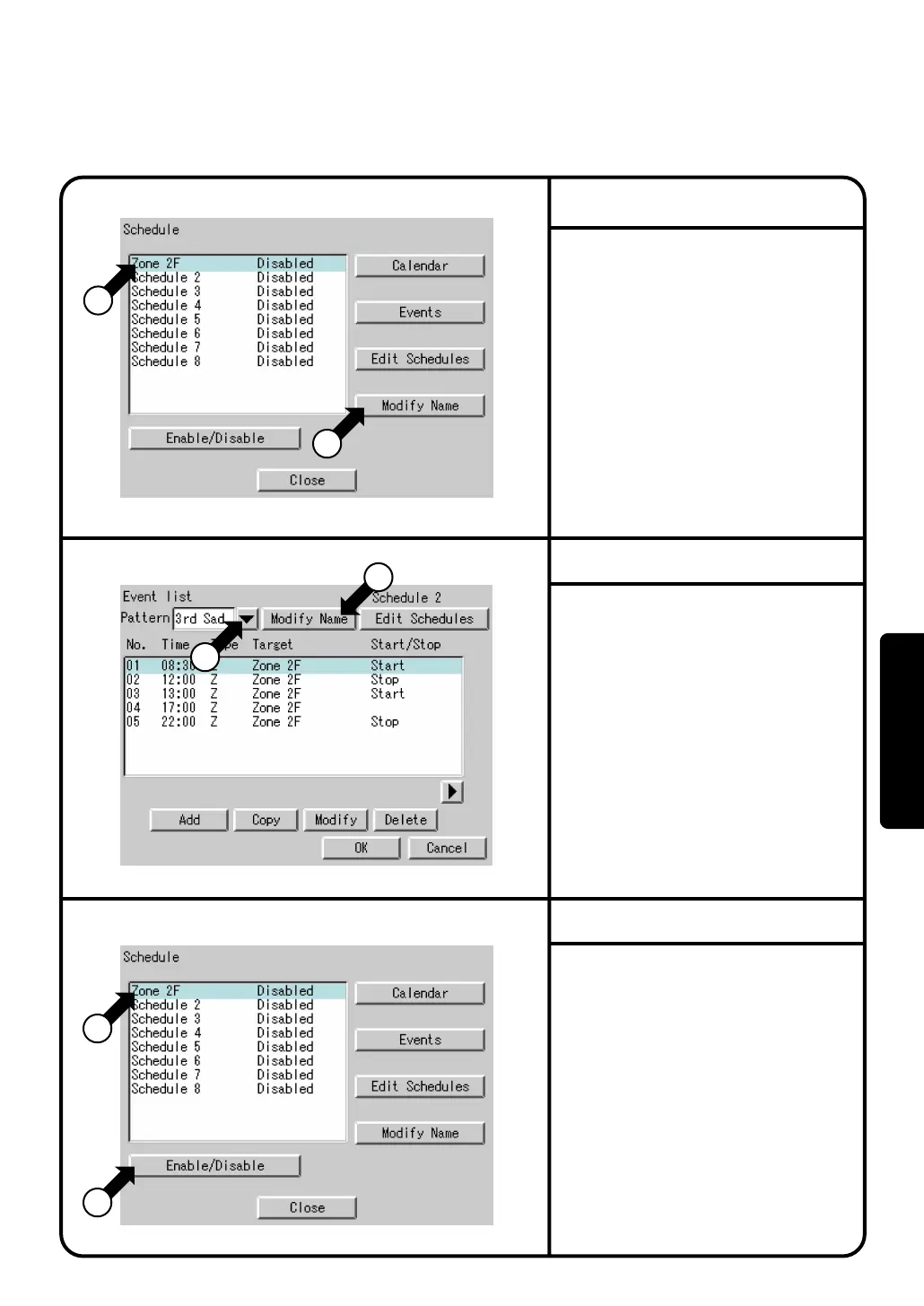
Select
Schedule
at Screen 2(B) on page
63.
2.
Confirm that the Schedule Screen 1 will
be displayed as shown in the left-hand
column.
3.
Select a schedule from the list
q
to
change the name.
4.
Display a keyboard screen by pushing
the [Modify Name] button
w
and enter a
desired schedule name on that keyboard.
A schedule name can be entered in up to
16 characters.
1.
Select a specify day from the pull-down
menu q on the event list screen to
change the name.
2.
Confirm that the [Modify Name] button w
will be displayed for the selected special day.
3.
Display a keyboard screen by pushing
the [Modify Name] button
w
and enter a
desired special day name.
A special day name can be entered in
up to 8 characters.
1.
Last, enable or disable a schedule.
Perform the following operations on the
schedule Screen 3. Select a schedule
from the list
q
and enable or disable
the schedule at
w
. On the confirmation
screen, push the [Yes] button to enable
the schedule and the [No] button to
disable it. Then, check to see the
display
Enabled
or
Disabled
in right
side of
q
to confirm that the schedule
has been enabled or disabled
successfully.
Even if the calendar or event is set, no schedule
function works unless the schedule is enabled.
Screen 1 Schedule
Screen 2 Event List
Screen 3 Schedule
2
1
1
1
2
2
Change Schedule Name
Change Special Day Name
Enable or Disable Schedule
System Settings Menu Operation
Operation



 To Next Page