EasyManua.ls Logo

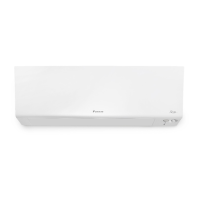
Daikin Siesta ATXM20N2V1B - User Manual

Daikin Siesta ATXM20N2V1B
56 pages
Print Icon
To Next Page IconTo Next Page
Loading...
User reference guide
Daikin room air conditioner
ATXM20N2V1B
ATXM25N2V1B
ATXM35N2V1B
ATXM50N2V1B

Table of Contents

Questions and Answers

  • M
    Matthew ColeSep 3, 2025
    What to do if the Daikin Siesta ATXM20N2V1B Air Conditioner unit does NOT receive signals from the user interface?
    • R
      rjimenezSep 4, 2025
      Check the batteries in the user interface. Ensure the transmitter is not exposed to direct sunlight. Check if there are any electronic starter type fluorescent lamps in the room.
  • C
    Carrie HernandezSep 18, 2025
    What to do when trying to make a direct connection to the adapter (AP mode) and the Wireless LAN adapter is not visible in the available Wi-Fi networks list of the phone/tablet with my Daikin Siesta ATXM20N2V1B Air Conditioner?
    • L
      Lauren FloresSep 18, 2025
      If the AP LED is not lit, press the MODE button for 2 seconds to switch to AP mode. If the AP LED is blinking, please wait until the AP LED is lit (approximately 1 minute). The Wireless LAN adapter is still starting up. If the AP LED is lit, switch to RUN mode by pressing the MODE button for 2 seconds. Now switch back to AP mode by pressing the MODE button again for 2 seconds. This procedure will change the wireless channel on which the Wireless LAN adapter is operating. Repeat if necessary.
  • P
    Patrick SmithSep 16, 2025
    What to do if the Wireless LAN adapter is not visible on the unit overview screen of my Daikin Siesta ATXM20N2V1B?
    • L
      laurenperezSep 16, 2025
      Check that the power is on and the RUN LED is lit. If the AP LED is lit, press the MODE button for 2 seconds to switch to RUN mode. If the RUN LED is blinking, try connecting the WLAN adapter to the wireless network again. Make sure the Wireless LAN adapter is close enough to the router (Wireless LAN access point). If the RUN LED is lit, make sure that the smartphone or tablet is connected to the same wireless LAN network as the Wireless LAN adapter.
  • L
    Larry ParkerSep 14, 2025
    What to do if none of the LEDs light on my Daikin Air Conditioner?
    • M
      michaelmackSep 14, 2025
      Try operating the unit with the user interface. Turn the unit off and then back on. Make sure the LEDs are not disabled in the application. Check if the adapter is installed correctly.
  • B
    Beverly MaloneSep 12, 2025
    What to do if other electric appliances start to operate when using my Daikin Air Conditioner?
    • D
      Diana LopezSep 13, 2025
      If the user interface signals operate other electric appliances, move the other appliances away.
  • T
    Tiffany DeanSep 12, 2025
    What to do if the user interface display of my Daikin Siesta ATXM20N2V1B Air Conditioner indicates the unit number, the operation lamp flashes and the malfunction code appears?
    • S
      Sara RossSep 12, 2025
      Notify your installer and report the malfunction code.
  • E
    Emily KochSep 9, 2025
    What to do if an abnormal function happens during operation of my Daikin Siesta ATXM20N2V1B?
    • C
      Christopher WoodsSep 9, 2025
      The air conditioner may malfunction because of lightning or radio waves. Turn the breaker OFF and back ON.
  • D
    David WilliamsSep 7, 2025
    Why do the Daikin Siesta ATXM20N2V1B flaps do NOT start to swing immediately?
    • N
      Nichole GonzalezSep 7, 2025
      The indoor unit is adjusting the position of the flaps. The flaps will start moving soon.
  • M
    Ms. Suzanne WilsonSep 5, 2025
    What to do if I can NOT select cooling operation on my Daikin Air Conditioner?
    • P
      Peter GarnerSep 5, 2025
      Check if your system is not a heating-only version.
  • R
    Robert HughesAug 21, 2025
    Why does my Daikin Siesta ATXM20N2V1B Air Conditioner system suddenly stop operating?
    • A
      Andrea SimpsonAug 21, 2025
      Check to ensure that the air inlet or outlet of both the outdoor and indoor units are not blocked by any obstacles. Remove any obstructions to allow free airflow. Also, the air conditioner might stop temporarily due to large voltage fluctuations to protect itself, but it should resume operation automatically after about 3 minutes.

Summary

General Safety Precautions

User Safety Guidelines

Critical safety warnings and precautions for operating the air conditioner unit.

About the System

User Interface and Operation

Information on the remote control's components, display, status indicators, and how to operate it.

Before Operation

Operation

Operation Mode and Temperature Control

How to select operation modes (Cooling, Heating, etc.) and set the temperature.

Airflow Rate and Direction Adjustment

How to adjust fan speed and control the direction of airflow.

Comfort and Intelligent Eye Operation

Using comfort airflow for pleasant conditions and intelligent eye for occupancy sensing.

ON;OFF and Weekly Timer Functions

Setting and managing ON/OFF and Weekly timers for automatic operation.

Energy Saving and Optimum Operation

Operation Precautions for Efficiency

Guidelines for energy saving, safe operation, and maintaining optimal performance.

Maintenance and Service

Troubleshooting

General Malfunctions and Initial Checks

Common issues like no operation, insufficient cooling/heating, and timer problems.

Error Codes and LED Indicators

How to interpret error codes and outdoor unit LED status for diagnostics.

Daikin Siesta ATXM20N2V1B Specifications

General IconGeneral
ModelATXM20N2V1B
Cooling Capacity2.0 kW
Heating Capacity2.5 kW
Energy Efficiency Class (Cooling)A++
RefrigerantR32
Outdoor Unit Dimensions (HxWxD)550 x 765 x 285 mm
Weight (Indoor Unit)9 kg
Outdoor Unit Dimensions (W x H x D)765 x 550 x 285 mm
Indoor Unit Weight9 kg
TypeSplit
Sound Power Level (Outdoor Unit)60 dB(A)
Power Supply220-240V / 50Hz

Related product manuals