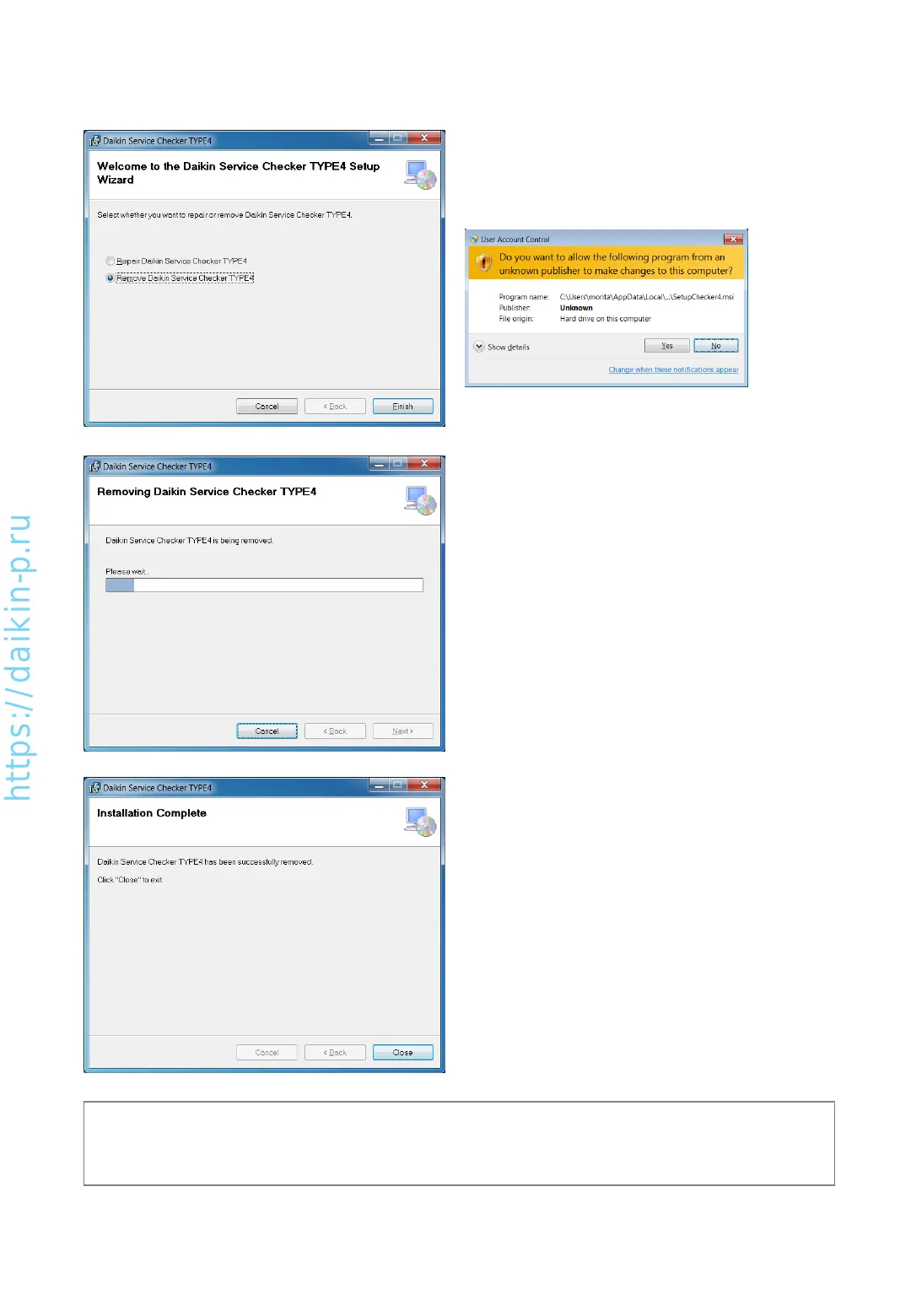
[Removal of software (uninstallation)]
10) If the same version software is installed, left window
will be shown.
Select Remove and press “Finish”
If above screen will be shown, press Yes to proceed.
11) Software will be removed.
12) Software has been removed.
(Note)
* Even if the software will be removed, recorded data will remain. You can utilize them once you’ll install
the software.
AS0112-P-DENV
12


 To Next Page