[Caution before using]
•When connecting to the VRV unit for the first time, the unit will change to stand-by mode for several minutes to
scan all the connected indoor and outdoor units. The system will automatically resume after finishing auto-
scanning (for 2nd time and onwards, system would not enter stand-by status by choosing saved network map).
•Data refresh interval depends on the refresh interval of connected VRV model (normally between 1 min to 5
min) regardless of data saving interval setting of checker software.
•In case of DTA109 adapter (D3-NET expander) is installed, Checker cannot collect operation data beyond the
point of DTA109 (for example, if you connect Checker in main bus, operation data of VRV systems in branch bus
cannot be monitored).
•If Wiring Adaptor for Electrical Appendices (1) or (2) (KRP2A or KRP4A) are installed to the same D3-NET line, an
error will be displayed to BMS or other centralized control system. To avoid this error, it is necessary to prohibit
centralized control function of checker software (see 7-3-2 Prohibit/permit centralized control).
AS0112-P-DENV
16
3-2 Connection power supply
[Procedure]
(2) Please switch the Checker on. Red LED will be lit on power switch.
[Caution]
Power is supplied from USB terminal. Do not connect AC power to D3-NET (F1,F2) terminal.
(If AC power is connected to the D3-NET port, checker will be burned and broken.)
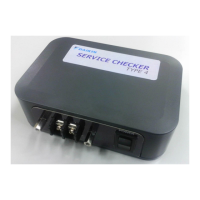
Please connect your PC to Checker USB port (Type-B) by the USB cable which came with Checker package.
(1)


 To Next Page