Chapter 5: Recording operation data
5-1 Viewing operation data
Customer Network map Operation data
Customer
A
Building E 1
st
floor
System1: Mar.23
System2: Mar.23
:
Building E 2
nd
floor
System1: Apr.2
:
:
:
Customer
B
:
:
: :
:
5-1-1 Customer info selection
[Procedure]
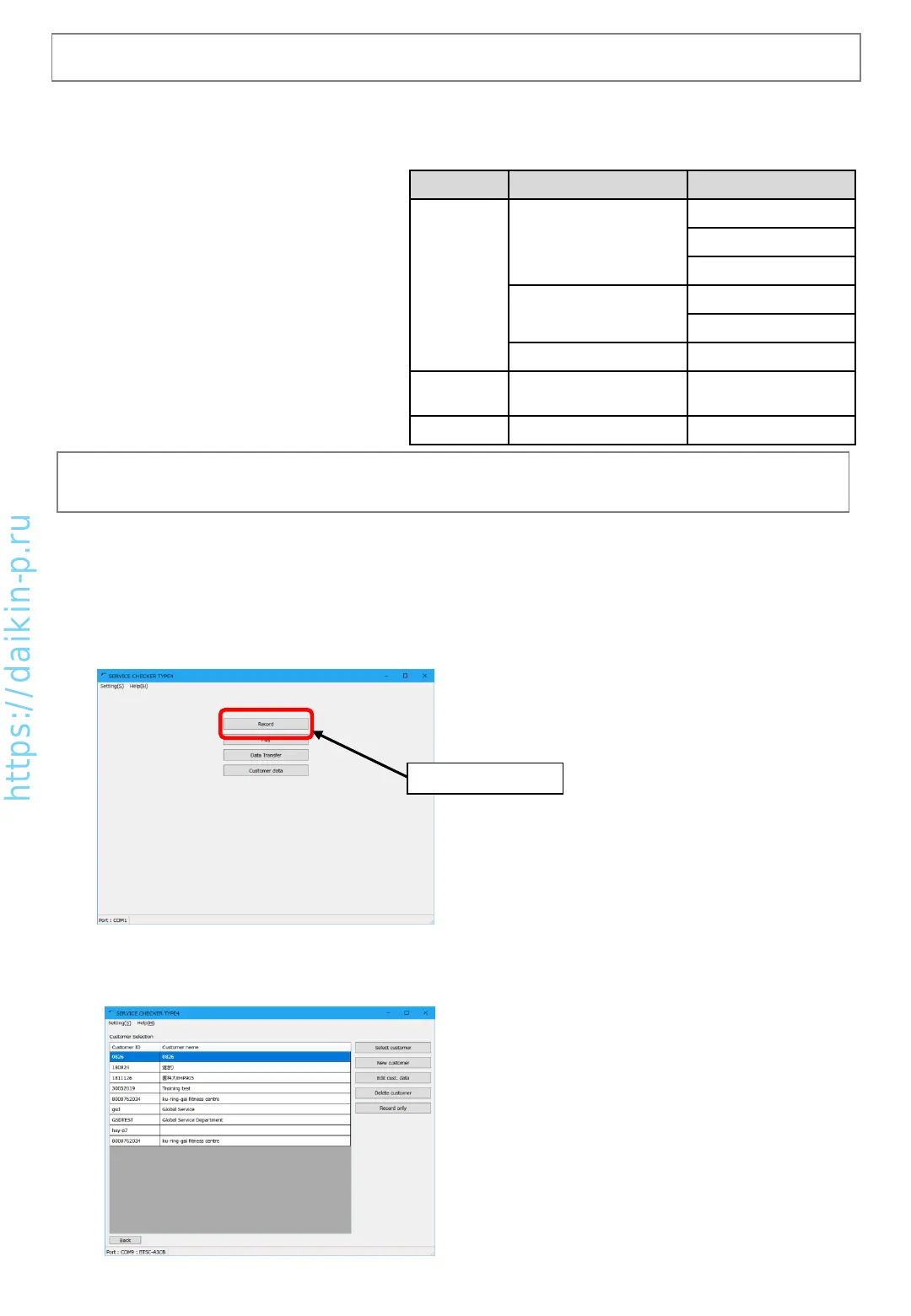
(1) In main menu, click [Record] button. Proceeding to [Customer selection]
(2) Customer selection screen
Please enter customer information. Data recording can be executed without entry of customer information
(Record only)
Click [Record] button
By [Record] menu, VRV operation data monitoring and recording (collecting data) can be executed. It is
necessary to use this menu if case of only monitoring operation data without recording.
As shown in the right chart, data is managed as
tree structure. From the top, data is
categorized as “customer”, “network map
(system)”, and “Operation data”.
(Note) “Record only” without data management can be selected, it is recommended to use customer
information for better management of each data.
AS0112-P-DENV
19


 To Next Page