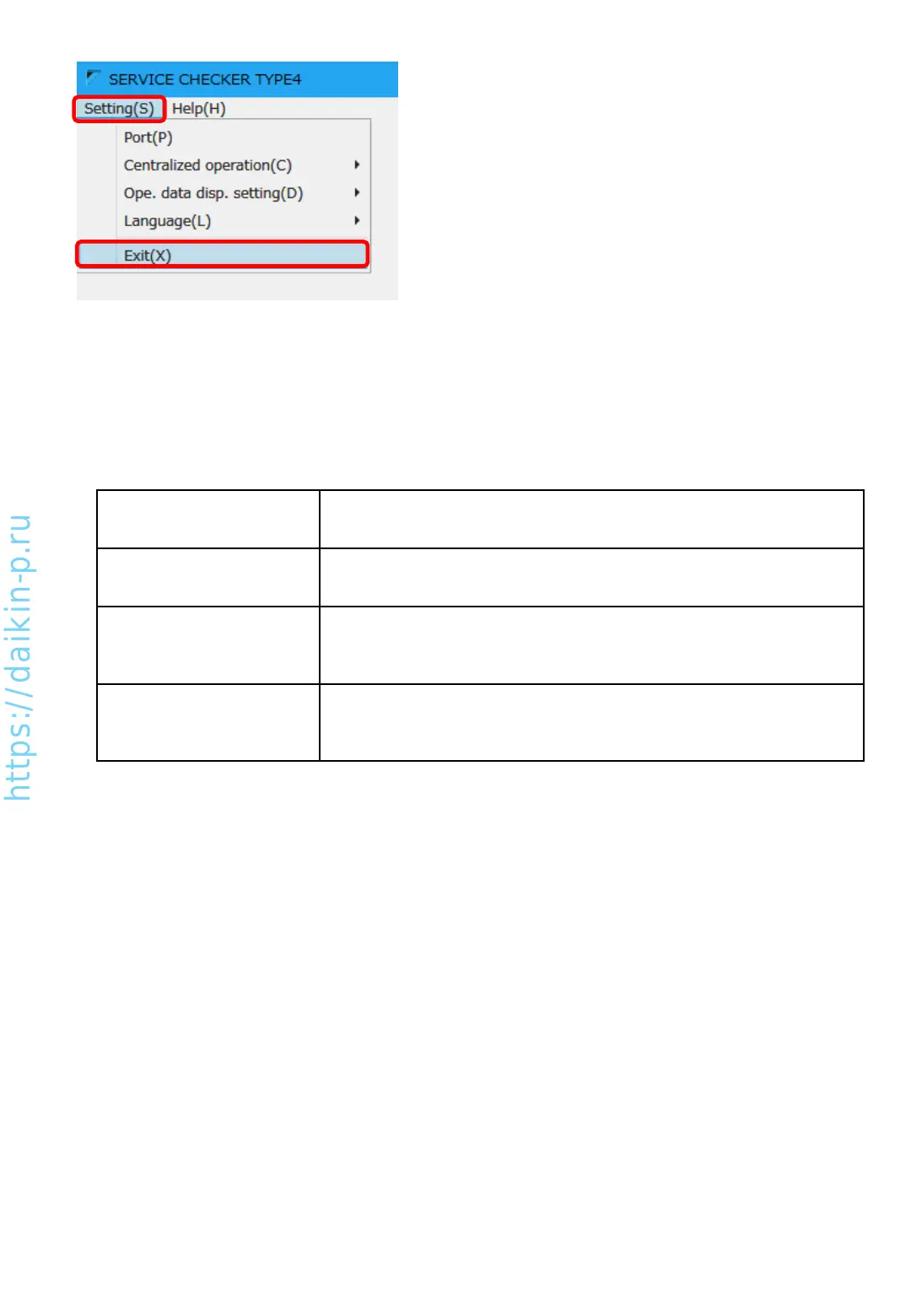
2) By selecting “Setting”>”Exit”, checker software can be quit.
[Record]
Use for monitoring/recording VRV operation data
(Refer to Chapter 5)
[Play]
Use for checking/exporting recorded data
(Refer to Chapter 6)
[Data Transfer]
Use for exporting/importing recorded data or customer information
to/from other users or PC.
(Refer to Chapter 7-1)
[Customer data]
Use for enter/edit customer information (please enter customer info for all
the time). Saved network map information can be checked here.
(Refer to Chapter 7-2 and 6-2)
4-3 Overview of the checker software function
There are buttons listed below are in the checker software main menu.
AS0112-P-DENV
18


 To Next Page