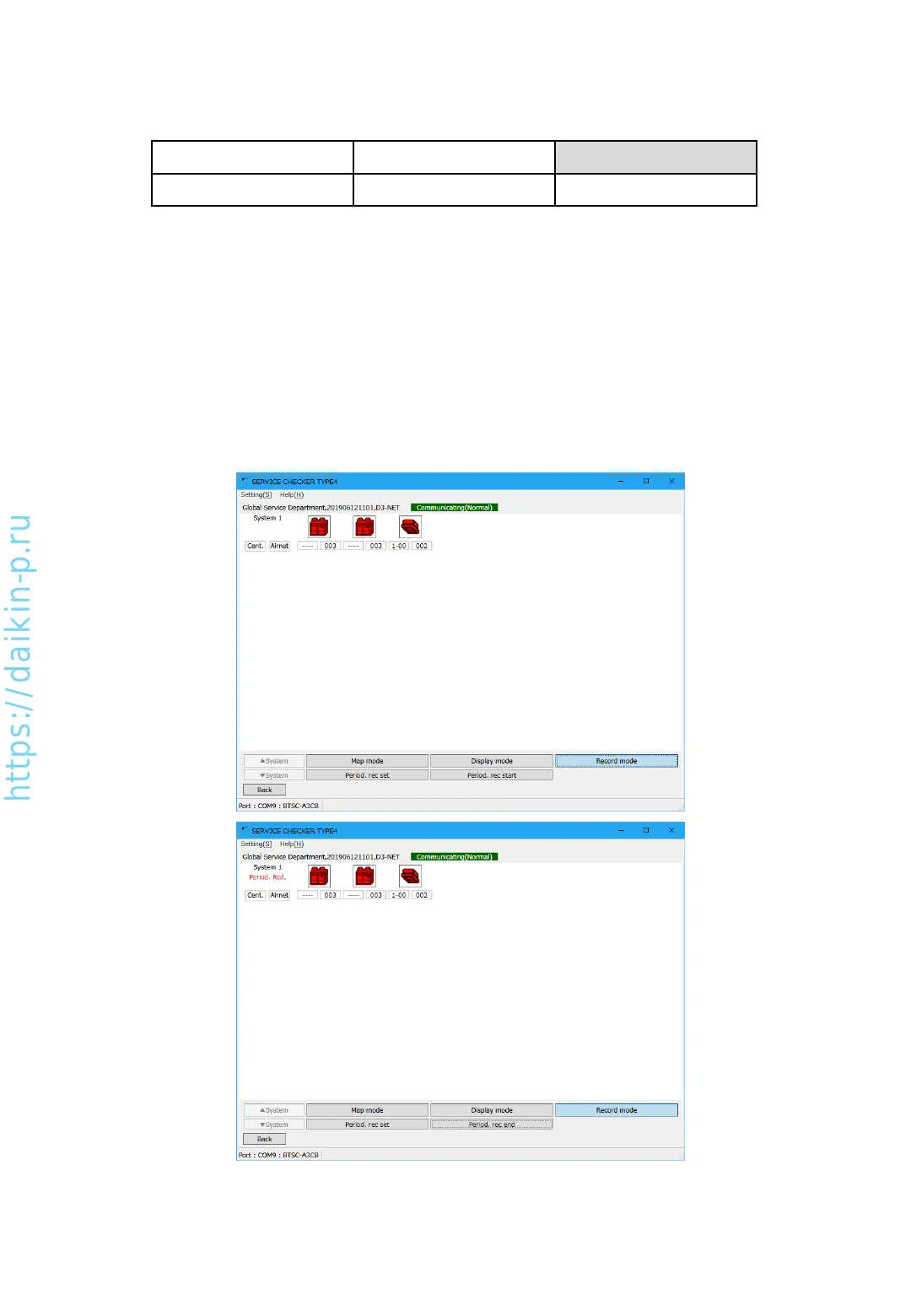
C. Record mode
Record mode
Period. rec set Period. rec start
[Periodic record set]
Proceeding to “Periodic record set” screen and setup data recording to PC data drive.
Please proceed to “5-2-1 Setup PC recording”
[Periodic record start]
By pressing this button, data recording to PC drive will start. On the upper left screen, “Period
Rcd” sign will be indicated. Button will change to “Period. rec end”, by pressing the button
again to stop recording.
AS0112-P-DENV
25


 To Next Page