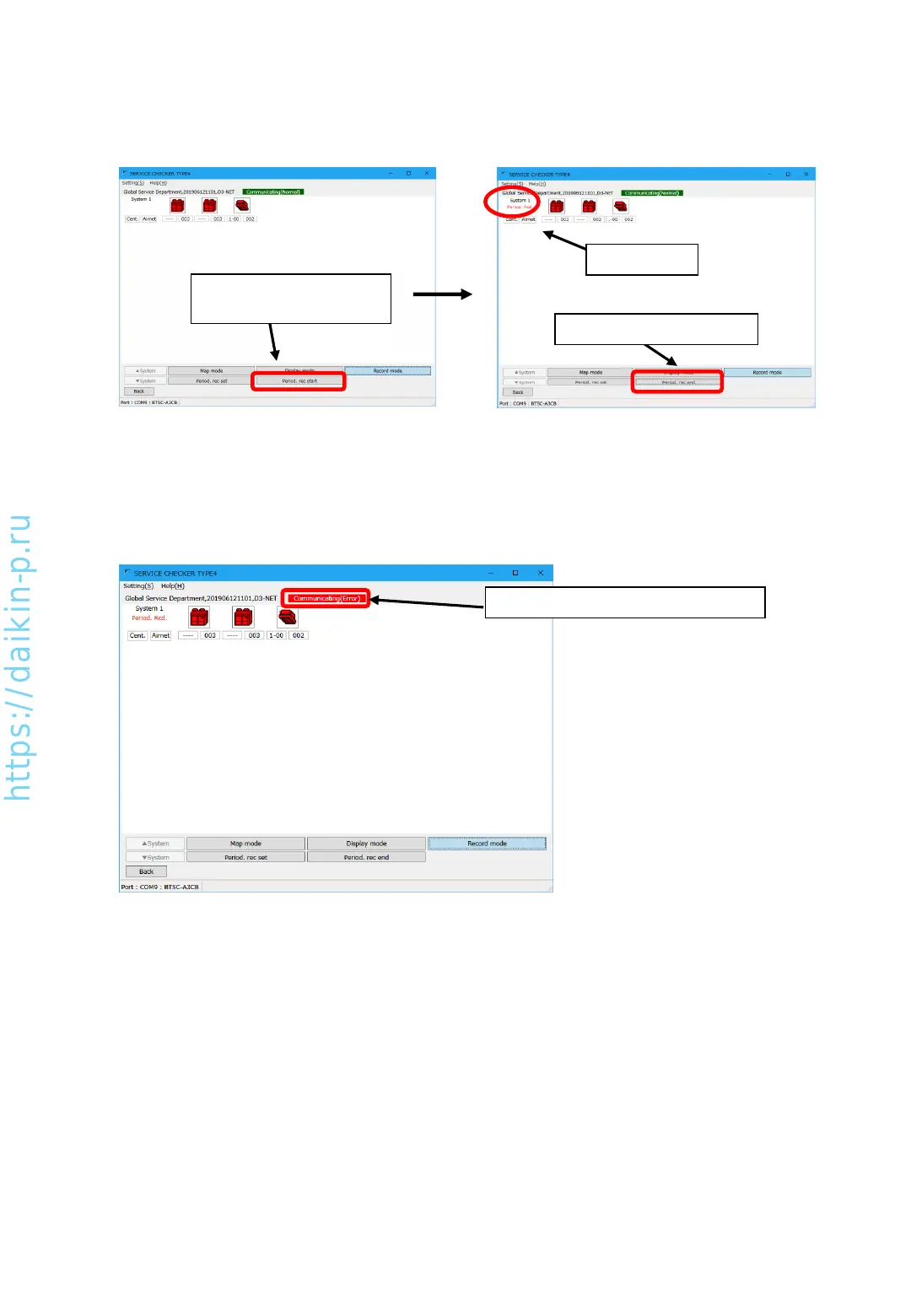
(4) If you need to manually stop periodic recording, press [Period. rec end] button. If you select [Auto] in
[Record end method], recording will end in the set time automatically.
(5) In case of disconnection of communication with TYPE4 Checker box, [Communicating(Error)] will be
shown. Please check connection and retry recording.
“Period. Rcd.”
Changed to [Period. rec end]
(3) To start periodic record to PC data drive, press [Period. rec start] button in [Network map] screen.
“Period. Red.” sign will be indicated in the upper left corner. Besides button will be changed to [Period.
rec end]
Press [Period. rec start]
button
[Communicating(Error)] display
AS0112-P-DENV
33


 To Next Page