Chapter 1: Overview and preparation
1) Overview
Service checker is the tool which visualizes operation data (sensor readings, actuator status, operation mode,
etc.) of VRV air conditioning units.
2) Composition
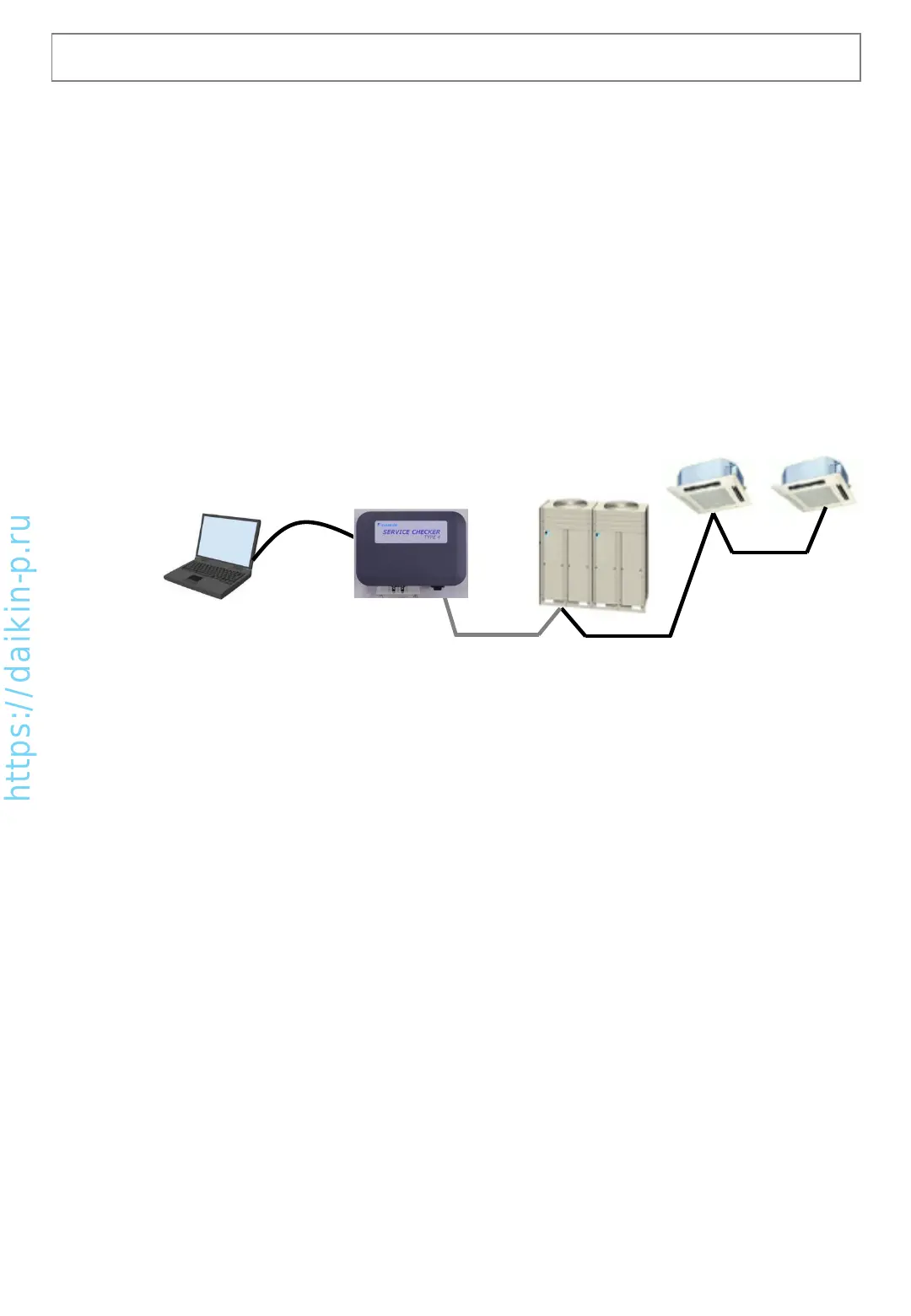
Service checker consists of two main components (TYPE4 checker box, TYPE4 checker software). It works with
Windows PC which is connected to TYPE4 checker box by USB cable. It is necessary to install TYPE4 checker
software to your Windows PC before using.
• TYPE4 checker components (see 1-2-1 Essential materials)
• Windows PC (see 1-2-2 Other materials to prepare)
1-1 What’s the service checker?
[Software update]
Supporting new VRV models is realized by PC software, so it is necessary to update TYPE4 checker software
for supporting newly introduced products.
3) Purpose
•Troubleshooting, diagnosis of VRV systems (supporting diagnosis by visualized operation data)
•Commissioning of VRV systems (checking number of connected indoor units, operation condition check)
4) How to obtain TYPE4 checker box
This tool is distributed as service part from local affiliate/distributor of Daikin. Please contact your local Daikin
affiliate/distributor for purchasing TYPE4 checker box as the other spare parts.
(Note) This tool is not designed for permanent installation such as continuous monitoring or long term data
logging and such ways of using are not guaranteed. If a permanent monitoring is necessary, please consider
using remote monitoring service.
D3-NET connection wire
(field procurement)
TYPE4
checker box
VRV
Windows PC
TYPE4 software
(download)
USB cable (included)
AS0112-P-DENV
3


 To Next Page