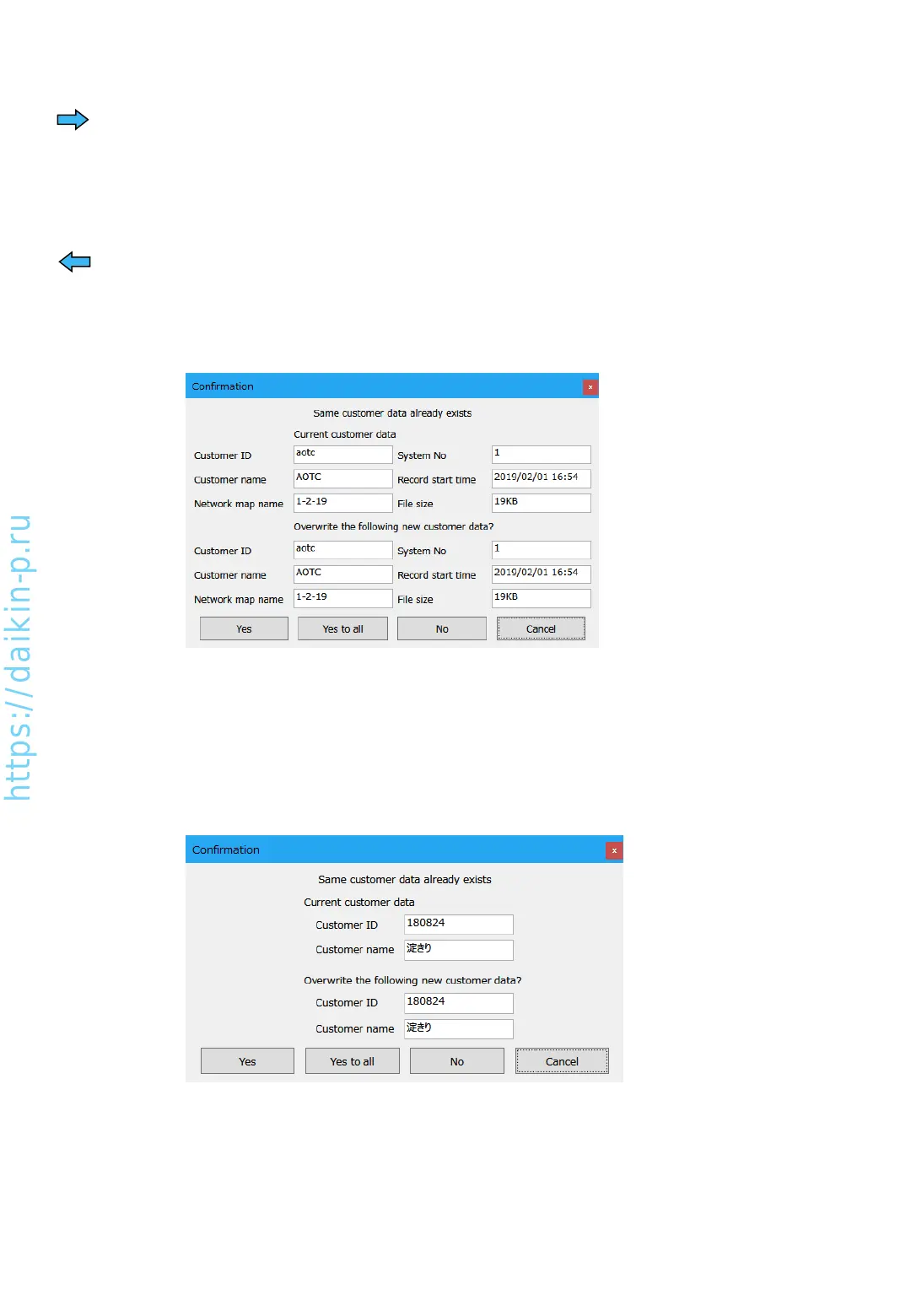
* If there are same name of operation data in the destination, below dialog will be shown.
[Yes] : Overwrite this data only
[Yes to all] : Overwrite all data to import
[No] : Not overwrite this data and skip to next data
[Cancel] : Abort transferring operation
* If there are same name of customer data in the destination, below dialog will be shown.
Meanings of each button are same as above.
2. Transfer customer information only
Other than selecting [Customer data] on the upper left, procedures are same as 1. Transfer
operation data and customer information.
(3) Press [Cancel] button to exit
Exporting data (to storage media)
1. Select operation data or customer information on the left to transfer.
2. Select destination folder in the right side of the screen.
3. By pressing right arrow [➔] button to start transferring.
Importing data (from storage media or folder)
1. Select operation data or customer data information on the left as importing destination.
2. Select origin folder in the right side of the screen.
3. Select operation data to import from the right.
4. By pressing left arrow [] button to start importing.
AS0112-P-DENV
44
1. Transfer operation data and customer information


 To Next Page