8 | Operation
Installer and user reference guide
28
RXMLQ8 + RXYLQ10~14T7Y1B*
VRV IV system air conditioner
4P543427-1A – 2020.10
Fan only operation
2 Press the ON/OFF button on the user interface.
Result: The operation lamp lights up and the system starts operating.
8.2.5 To operate the system (WITH cool/heat changeover remote control switch)
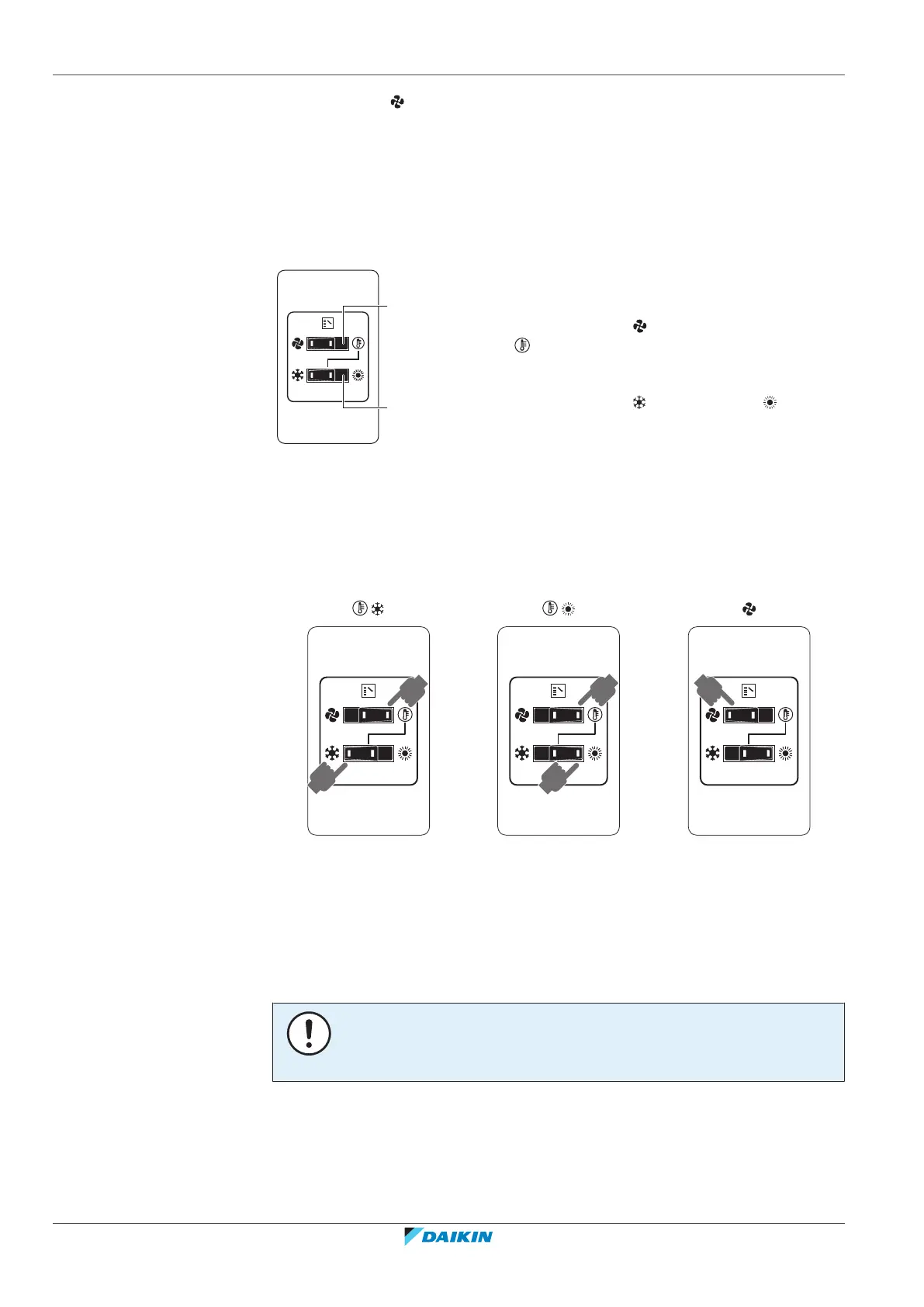
Overview of the changeover remote control switch
a FAN ONLY/AIR CONDITIONING SELECTOR
SWITCH
Set the switch to for fan only operation or to
for heating or cooling operation.
b COOL/HEAT CHANGEOVER SWITCH
Set the switch to for cooling or to for
heating
Note: In case a cool/heat changeover remote control switch is used, the position of
DIP switch 1 (DS1-1) on the main PCB needs to be switched to the ON position.
To start
1 Select operation mode with the cool/heat changeover switch as follows:
Cooling operation
Heating operation
Fan only operation
2 Press the ON/OFF button on the user interface.
Result: The operation lamp lights up and the system starts operating.
To stop
3 Press the ON/OFF button on the user interface once again.
Result: The operation lamp goes out and the system stops operating.
NOTICE
Do not turn off power immediately after the unit stops, but wait for at least 5
minutes.
To adjust
For programming temperature, fan speed and air flow direction refer to the
operation manual of the user interface.





 To Next Page