ENGLISH
78
REMOTE CONTROLS AND THEIR FUNCTIONS
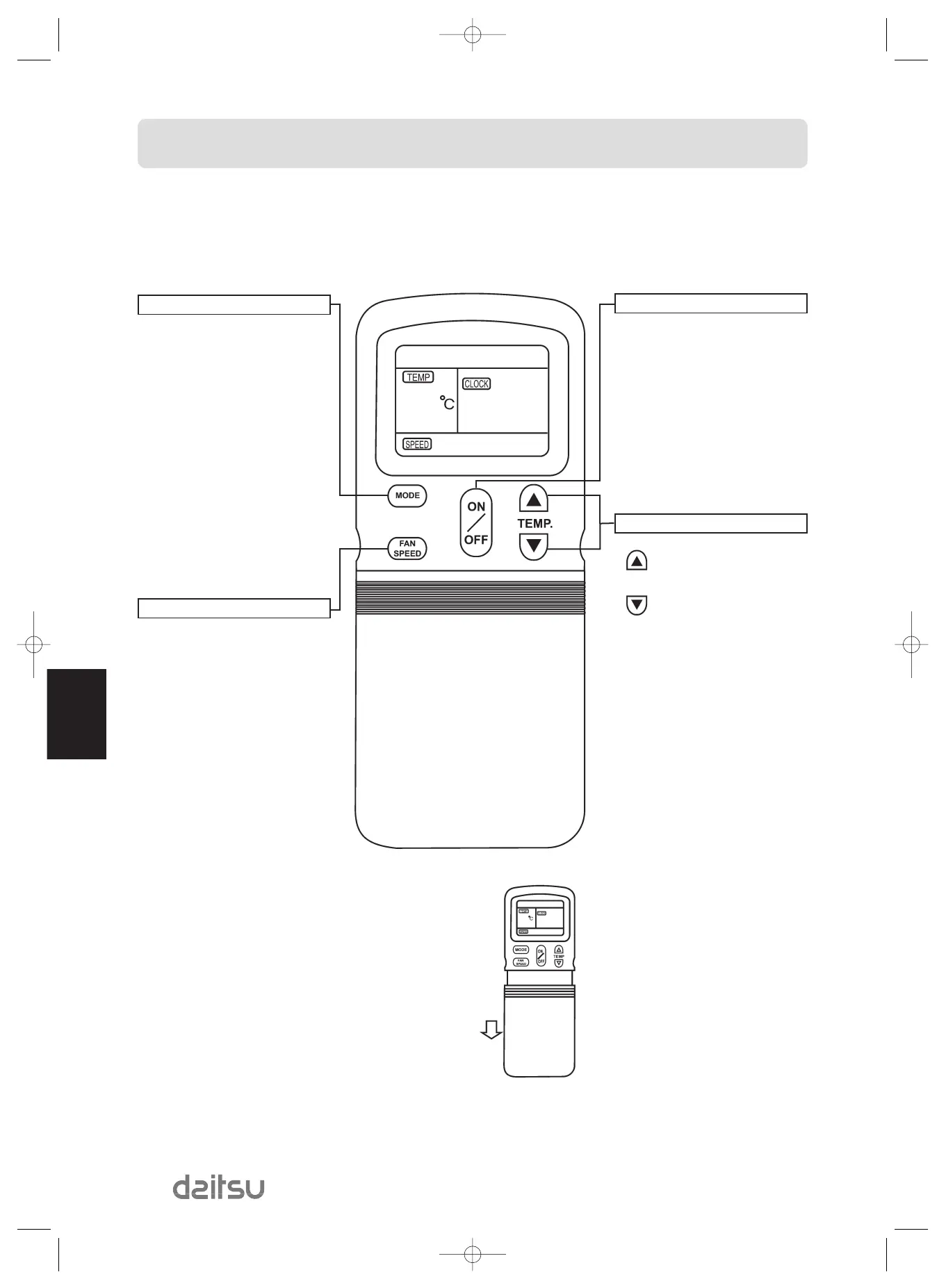
Remote control
ON/OFF BUTTON
• Push the button to start operation, push
the button again to stop operation.
TEMPERATURE BUTTON
The set temperature is increased
to 30°C
The set temperature is decreased
to 17°C
MODE SELECT BUTTON
• Each time you push the button, a mode
is selected in a sequence that goes from
AUTO, COOL, DRY, HEAT (cooling only
type without), FAN ONLY and back to
AUTO.
FAN SPEED BUTTON
• This button is used for selecting fan
speed. Each time you push the button, a
fan speed is selected in a sequence that
goes from AUTO, LOW, MED, HIGH, and
back to AUTO.
SLIDE THE COVER



 To Next Page