DMP-8000 Content Standards Quick Guide
DD3002238
Rev 05
09 June 2020
201 Daktronics Drive
Brookings, SD 57006-5128
www.daktronics.com/support
800.325.8766
Page 5 of 8
FFMPEG Converter
Download the le converter program and copy it to the C:\ drive on the computer that will be used to convert
the les. Follow the steps below:
1. Back up the original uncompressed AVI or uncompressed MOV les to another location before starting the
conversion process.
2. Download and install the converter program located here.
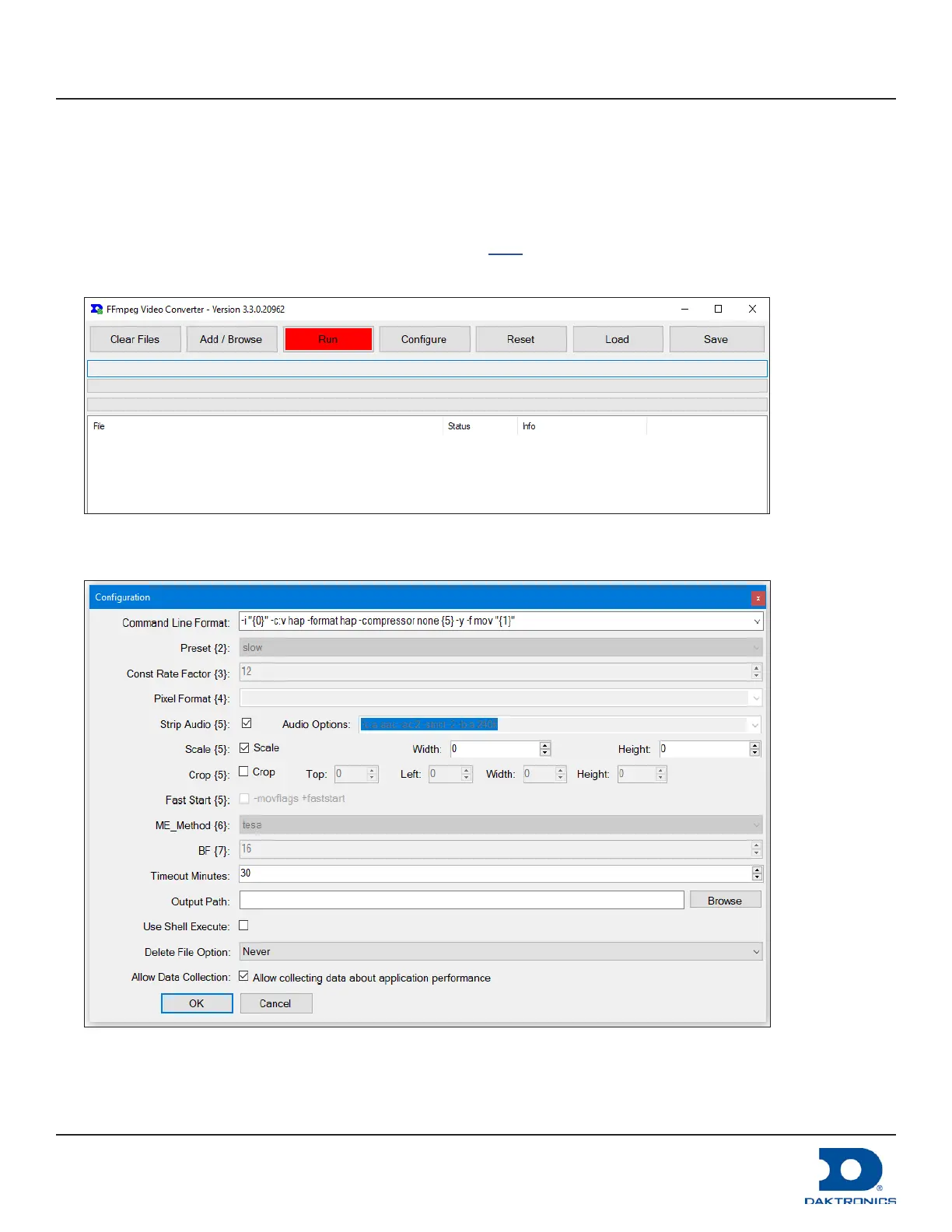
3. Open the FFMPEG converter utility. Refer to Figure 6.
Figure 6: File Converter Control Panel
4. Click Congure. The Conguration window opens. Refer to Figure 7.
Figure 7: Conguration Settings



 To Next Page