61
Displaying useful information
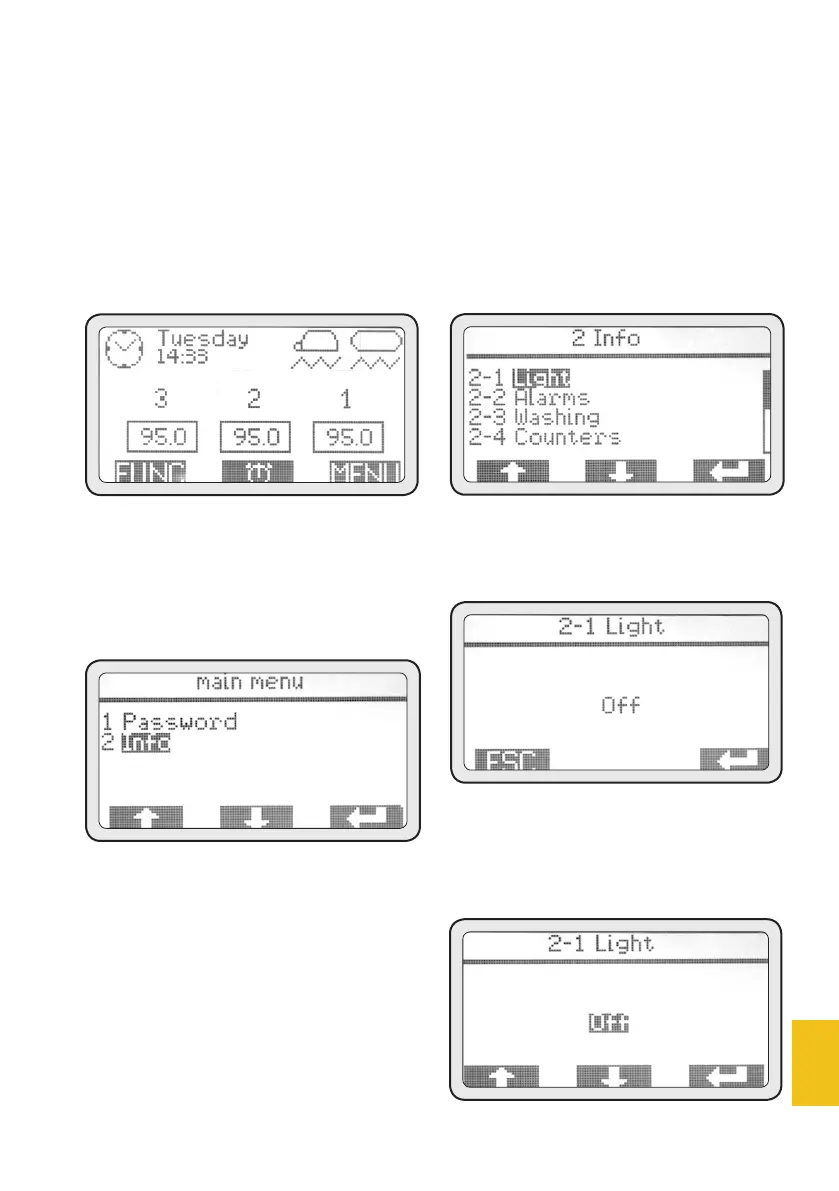
Display and navigation buttons
allow the user to get some use-
ful information. To access the
INFO Menu, follow the instruc-
tions below:
• Push the MENU button.
2. Menu info
Use (PD1) and (PD2) to select the
2. Info item, then push (PD3) to
access.
2-1 Light
This menu is used to turn on/off
the front lighting of the working
parts.
• Push (PD3) to access this
menu.
• Push (PD3) again to highlight
the mode.
• Use (PD1) and (PD2) to change
the mode from ‘disabled’ to
‘enabled’.














 To Next Page