63
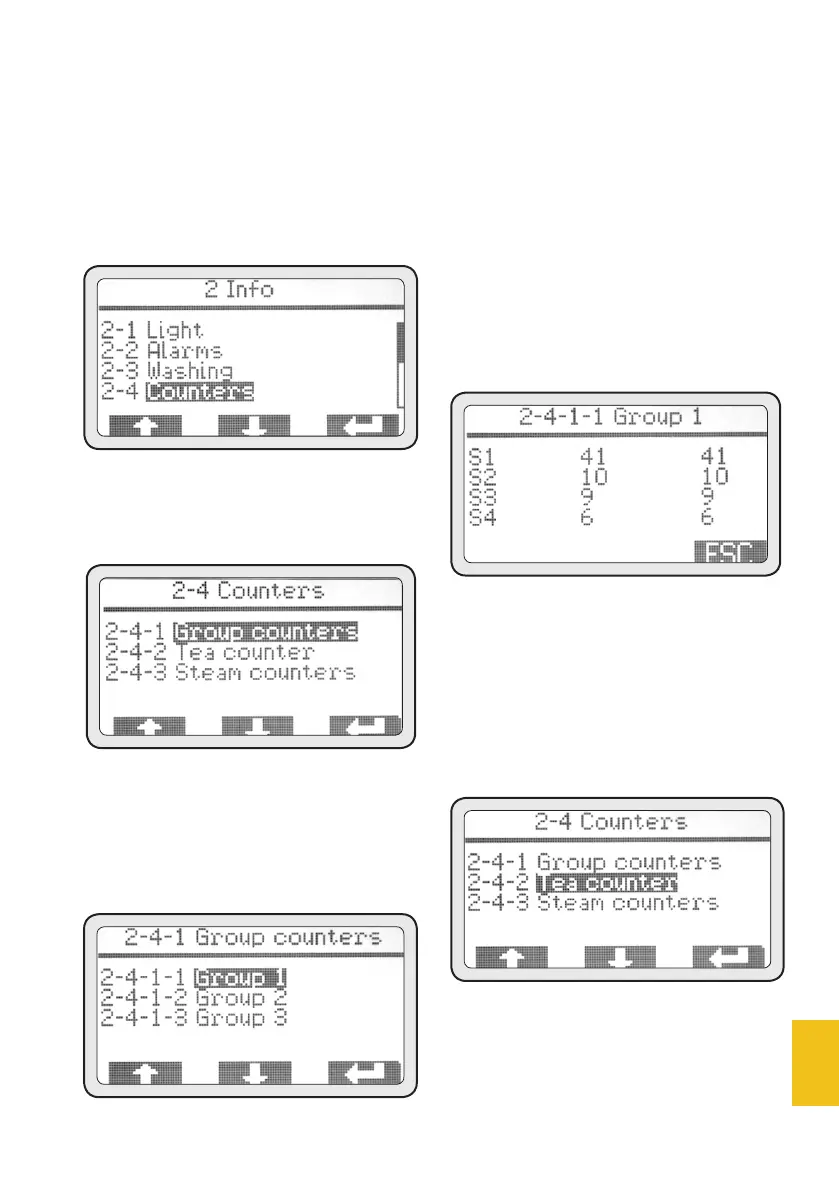
2-4 Counters
This menu allows to display all
counters of coffee extraction
(partial and total), hot water and
MCS steam supply (if enabled).
• Push (PD3) to access this menu.
2-4-1 Group counters
• Push (PD3) to access this menu.
• Use (PD1) and (PD2) to high-
light the menu to be displayed.
• Push (PD3) to access the high-
lighted menu.
2-4-1-1 Group 1 counters
S1-S2-S3-S4 are the 4 automa-
tic selections of each group. The
column of numbers on the left
refers to partial counters. The
column of numbers on the right
refers to total counters.
• After getting the needed info,
push ESC to go back to 2-4-1 menu.
Repeat the previous steps to display
the other group counters.
2-4-2 Hot eater supply counters
Menu displays all hot water sup-
ply counters.
• Push (PD3) to access this menu.
• After getting the needed info,
push ESC to go back to menu 2-4.














 To Next Page