29
4. User:Insert the user name of the connecting device.
5. Password:Insert the password of the connecting device.
6. State:After clicking the “connect IP CAM” button to test the IP CAM
device, the connection state will reveal among this column.
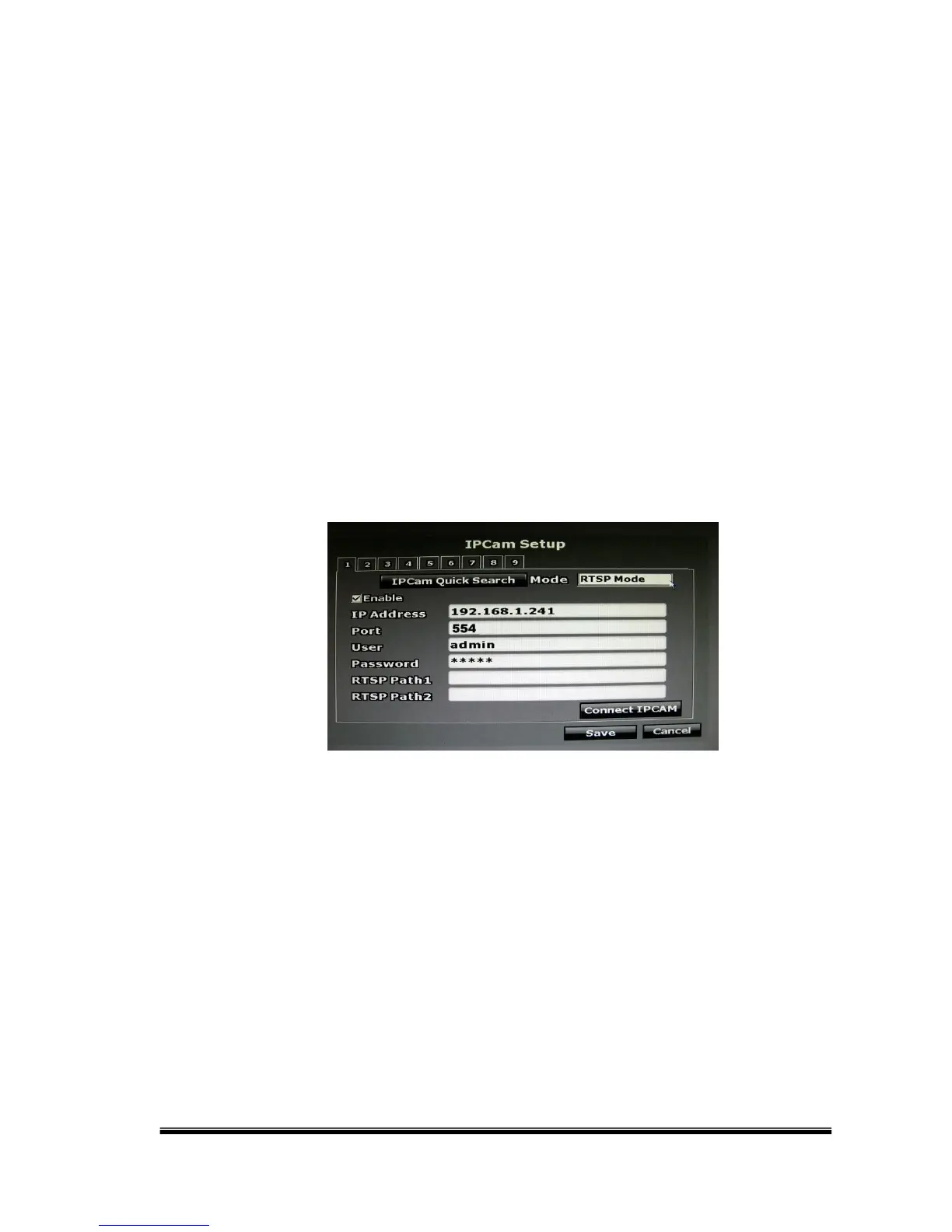
B-3. RSTP Mode
Under RTSP Mode, the NVR only support IP address indication, live video,
and video recording. Other functions like motion detection are not
supported.
Key-in the IP address, port, username, and password of the device you
are connecting to the NVR. You can find the information on the IP
Camera.
To link to the IP camera, check the RTSP Path settings of your IP
camera, and key-in the corresponding values of two streams in “RTSP
Path 1” and “RTSP Path 2”.



 To Next Page