5. Deleting ENC Permits
New AVCS customers who had previously subscribed to other ENC services are strongly recommended to remove
(purge) all
ENC Permits and ENCs from the system before installing AVCS. For more information, please refer to the
“Data Cleansing’
section in the AVCS User Guide.
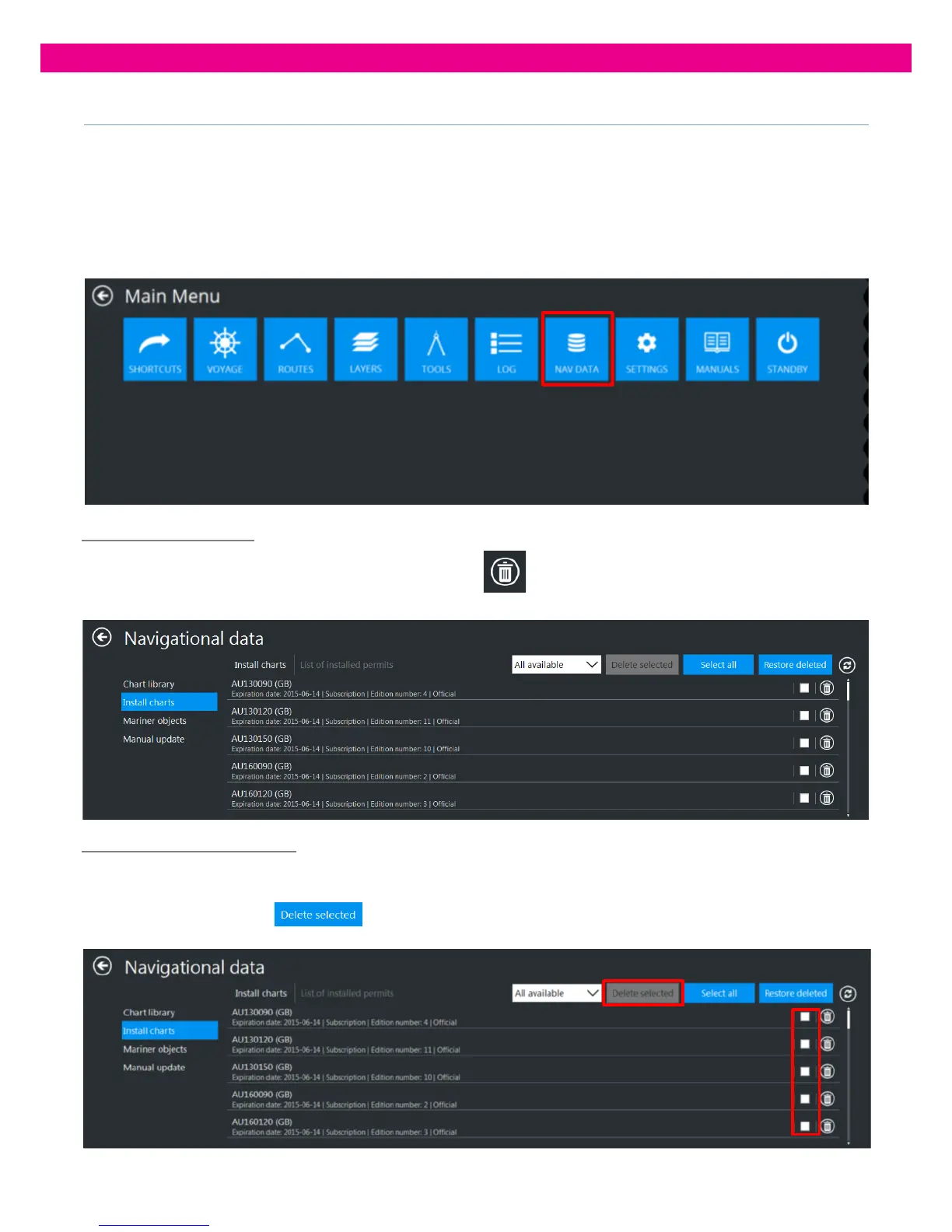
1. Select the ‘Nav Data’ Tab from the Main Menu:
5. .
Deleting one ENC Permit
2. To delete one of installed ENC Permits, press its ‘Delete’ button and confirm the operation: the
specified ENC Permit is deleted from the system.
Deleting Selected ENC Permits
To delete several installed ENC Permits, select the Permits you want to delete by ticking their check boxes
Press the ‘Delete Selected’’
button and confirm the operation. The selected installed ENC Permits are
deleted from the system:



 To Next Page