10. Installing Exchange Set using USB
The loading process of an AVCS Exchange Set from a USB within the ECDIS is the same as the one for the AVCS
DVDs, Base and Update CDs Service and is detailed below:
Insert the USB into the USB Drive.
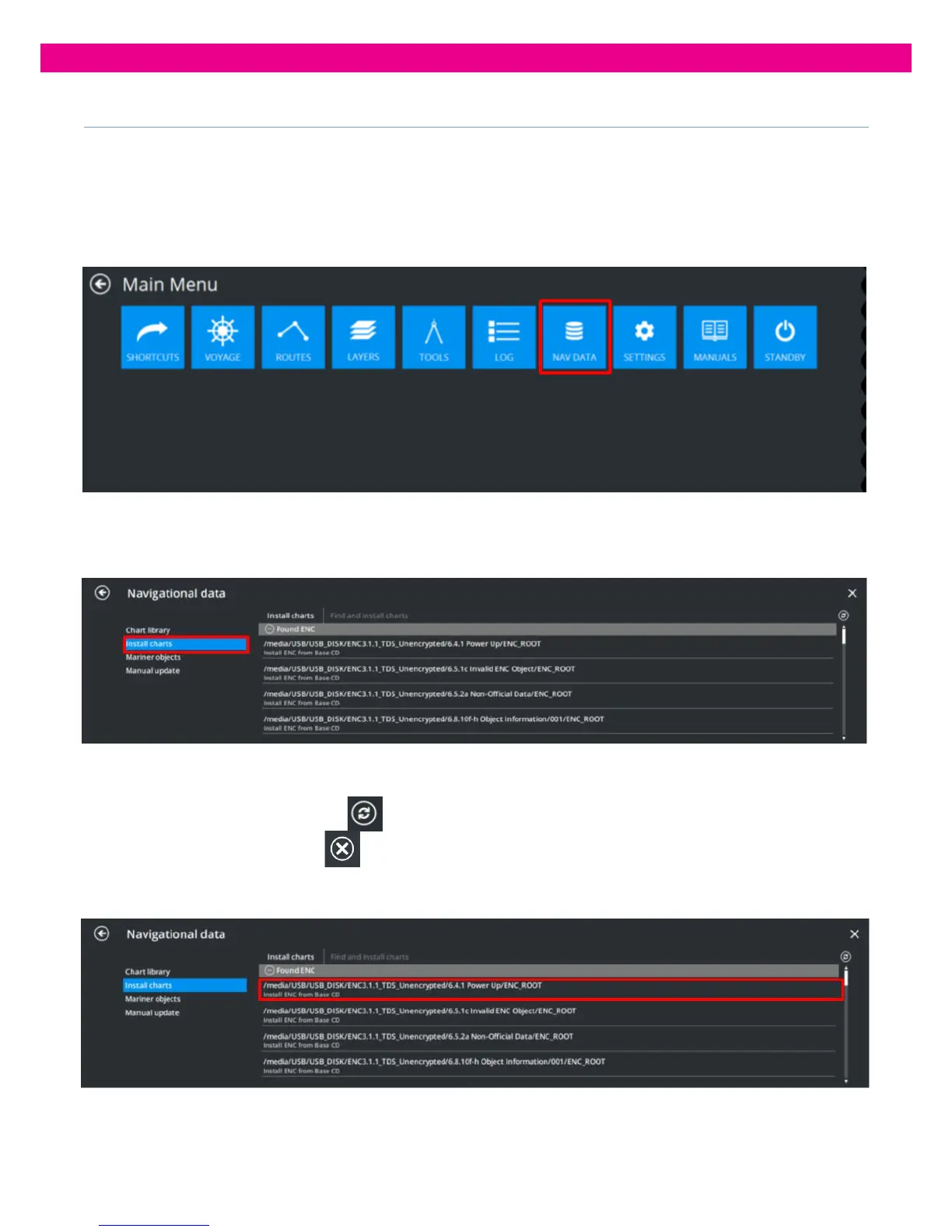
1. Select the ‘Nav Data’ Tab from the Main Menu:
2. Select ‘Install Charts’ and then ‘Find and Install Charts’. A list of all ENC Exchange Sets found on removable data storage
devices connected to the ECDIS appears:
When you open the ‘Find and Install Charts’ panel for the first time, the ECDIS automatically searches for Exchange Sets on all
removable data storage devices connected to the system.
To start a new search, press the ‘Refresh’
button in the upper-right corner of the panel. The search then starts and the
‘Refresh’ button changes to ‘Cancel’’
. Press it to stop the search.
3. In the ‘Find and Install Charts’ list, find the Exchange Set to install and select it.



 To Next Page