6. Installing ENC Permits
Install Cell Permits
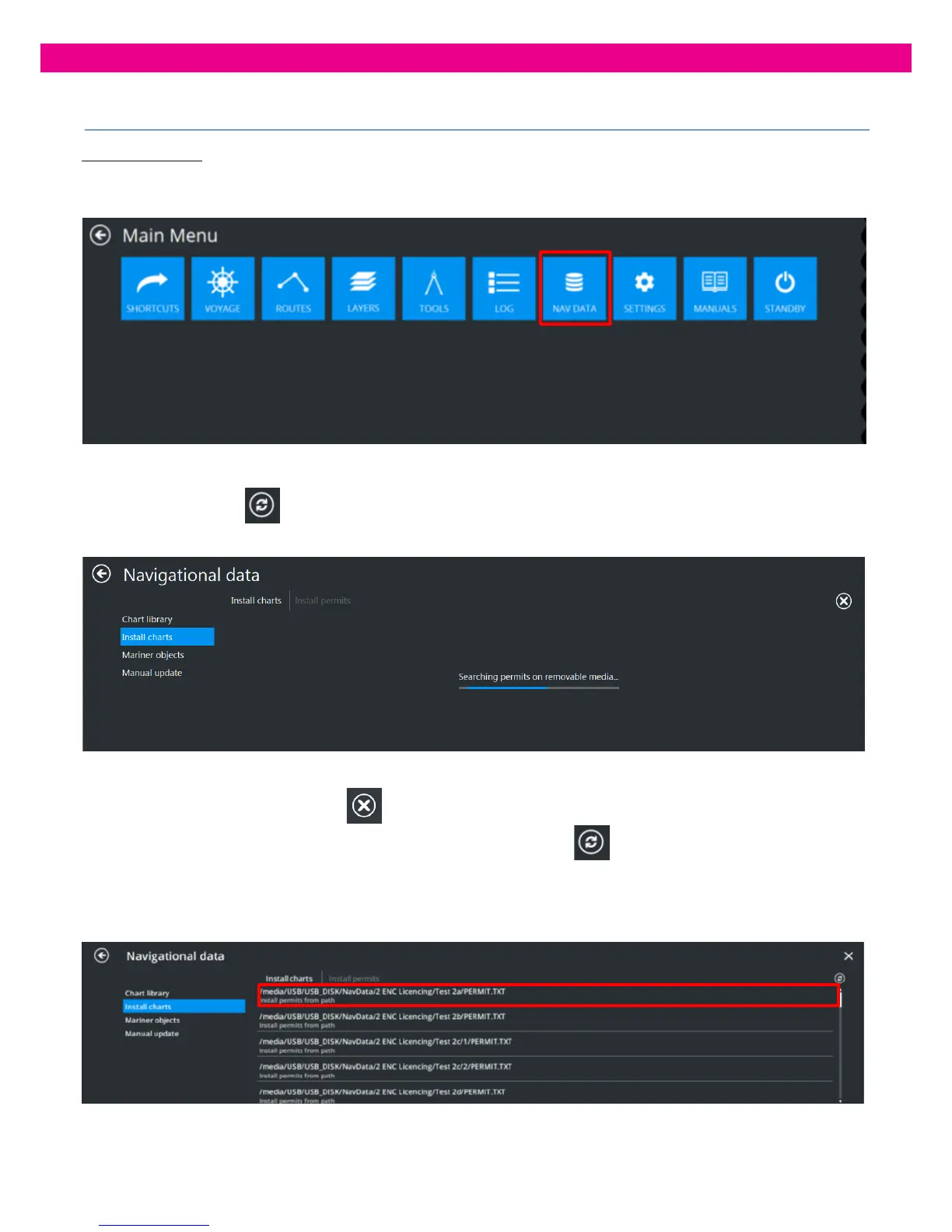
1. Select the ‘Nav Data’ Tab from the Main Menu:
2. Select ‘Install Charts’. Click on ‘Install Permits’ The ‘Install Permits’ panel opens:
3. Press the ‘Refresh’
button in the upper-right corner of the panel and the ECDIS starts searching for ENC
Permits:
To stop the search, press the ‘Cancel’
button in the upper-right corner of the panel.
The search stops and the ‘Cancel’ button changes to the ‘Refresh’ button. To restart the search, press
the ‘Refresh’ button and the search restarts.
4. Once the search is completed, all found ENC Permits are displayed in the panel.
Select the ENC Permit file you want to install and the installation starts immediately.



 To Next Page