11. Viewing an ENC
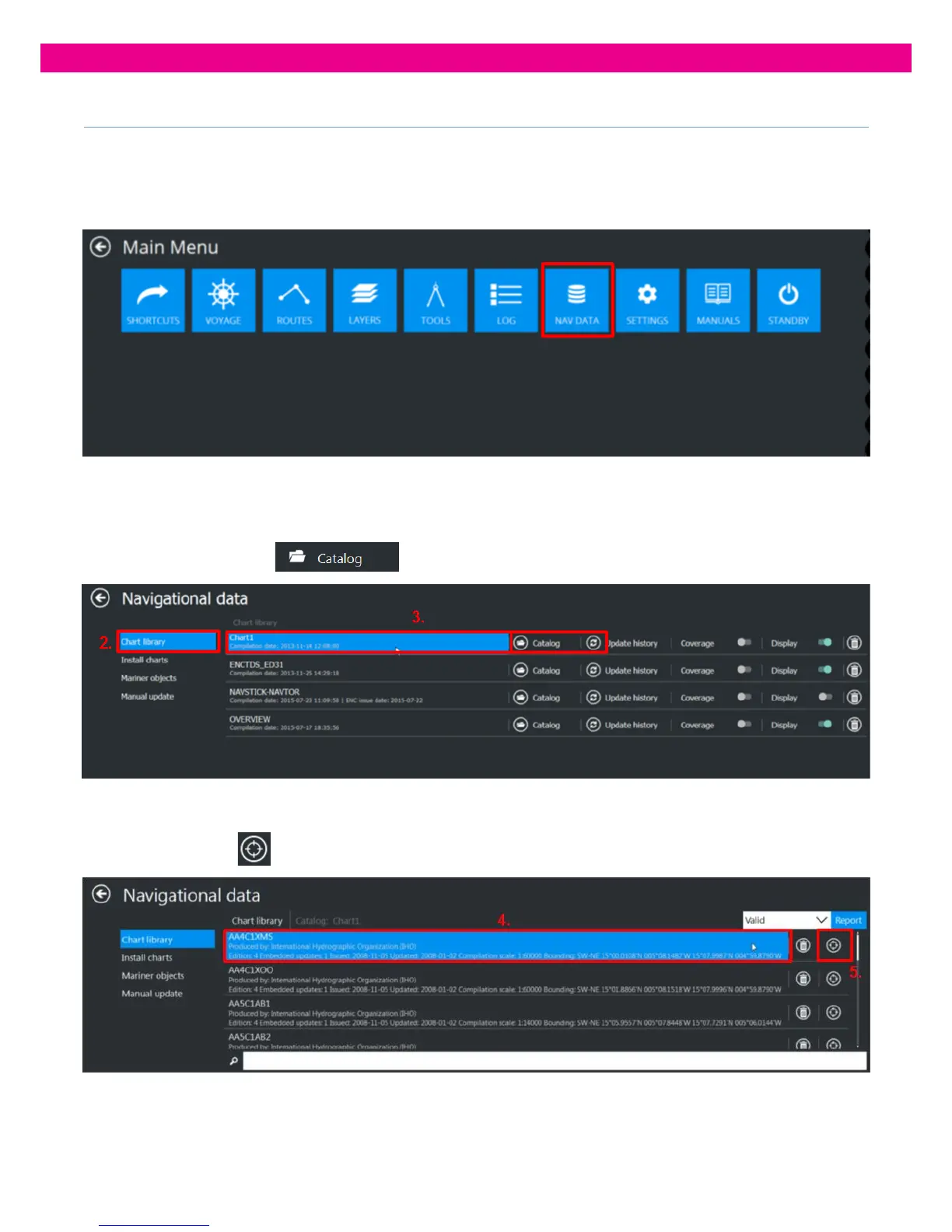
To view an ENC in the DM800 G2 ECDIS:
1. Select the ‘Nav Data’ Tab from the Main Menu:
2. Select ‘Chart Library’
3. Open the Catalog of the Database whose Cell is to be viewed on the ECDIS by clicking on the Database itself or by
clicking on the ‘Catalog’
button
4. Find the Cell to be viewed in the Cells list.
5. Press the ‘Go To’’
button. The ENC is then displayed on the Chart View screen.
The chart is then displayed in the centre of the Chart view.



 To Next Page