2. The User Permit Number (UPN)
The ‘User ‘Permit Number’ is a 28 character alphanumeric string that is unique to each ECDIS installation or group of
ECDIS (e.g.
multiple bridge installations). The ‘User Permit Number’ should have been supplied at the time of delivery and
must be used when
ordering an AVCS license.
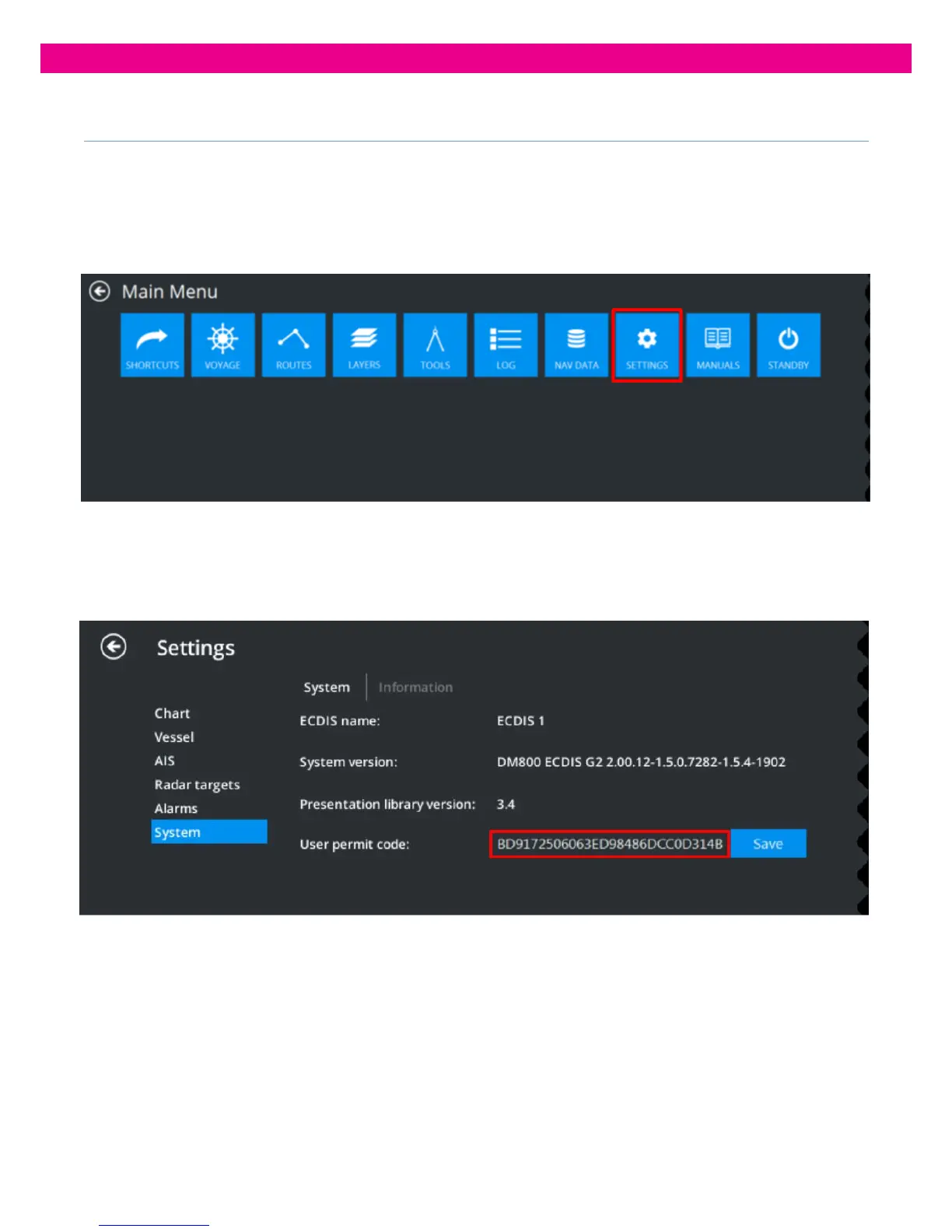
The ‘User Permit Number’ can be viewed within the ‘Settings’ Tab from the Main Menu:
In ‘Settings’, select ‘System’.
The System information panel opens displaying the ‘User Permit Number’:
This ‘User Permit Number’ can be saved to a Removable Media, by clicking on ‘Save’, to be sent to AVCS Licence
providers.



 To Next Page