Note: AVCS Base CDs are re-issued about every 6 to 8 weeks. The AVCS update disc will indicate which Base disc week
must have been installed. It is important that users do not attempt to load an Update CD that is not consistent with the Base
CDs
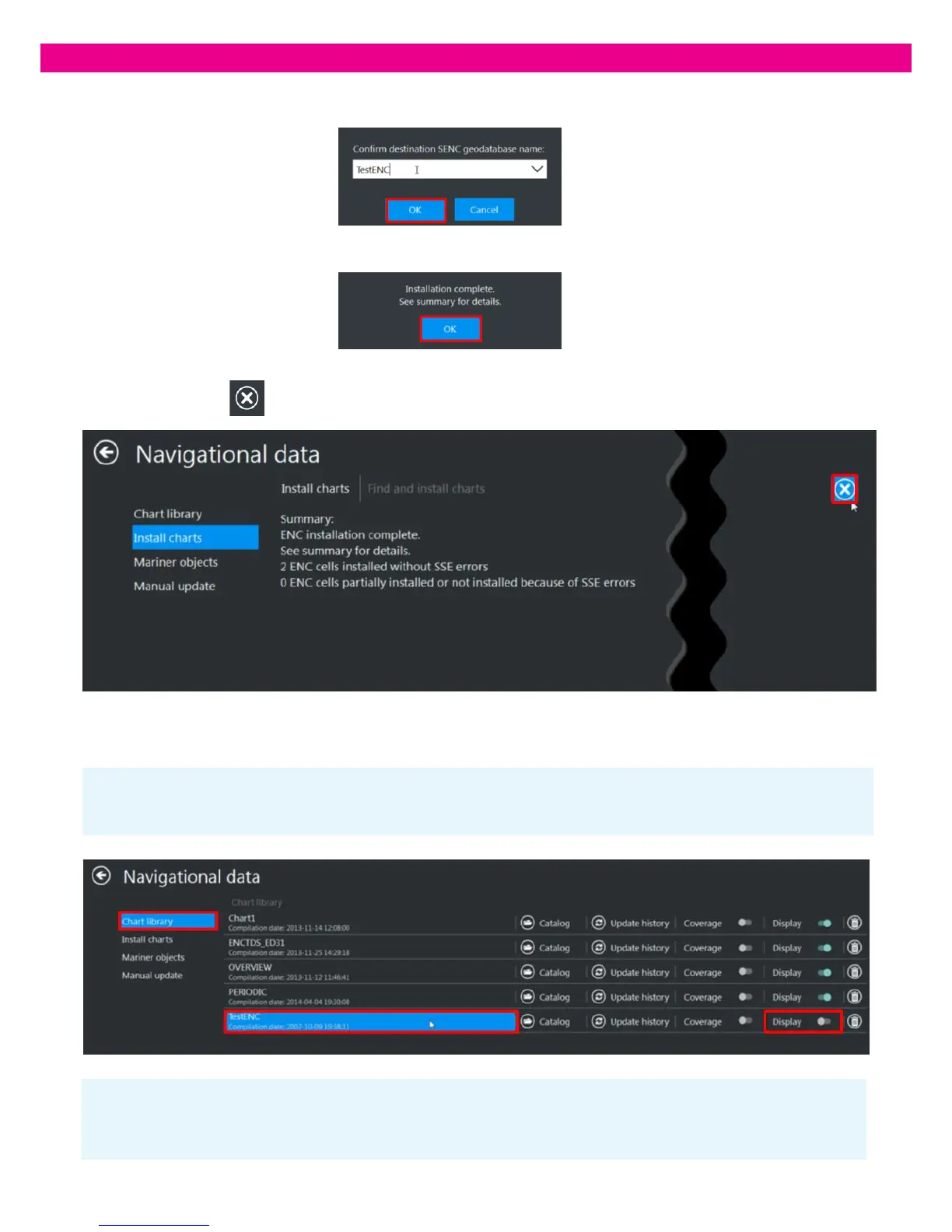
Note: When a new Database is created, it is not open for display. To see the data, set the Display switch of the database to the
‘On’ position.
4. Enter a name for the new Database and press ‘OK’. The installation starts.
5. At the end of the installation, an information message confirms the completion of the operation: press ‘OK’
6. The installation summary is displayed and the result and warning messages window opens. To close the window,
press the ‘Cancel’ button in the upper-right corner of the window.
7. If the data was successfully converted and installed, the new Database is added to the Chart Library and you can start using
it:



 To Next Page