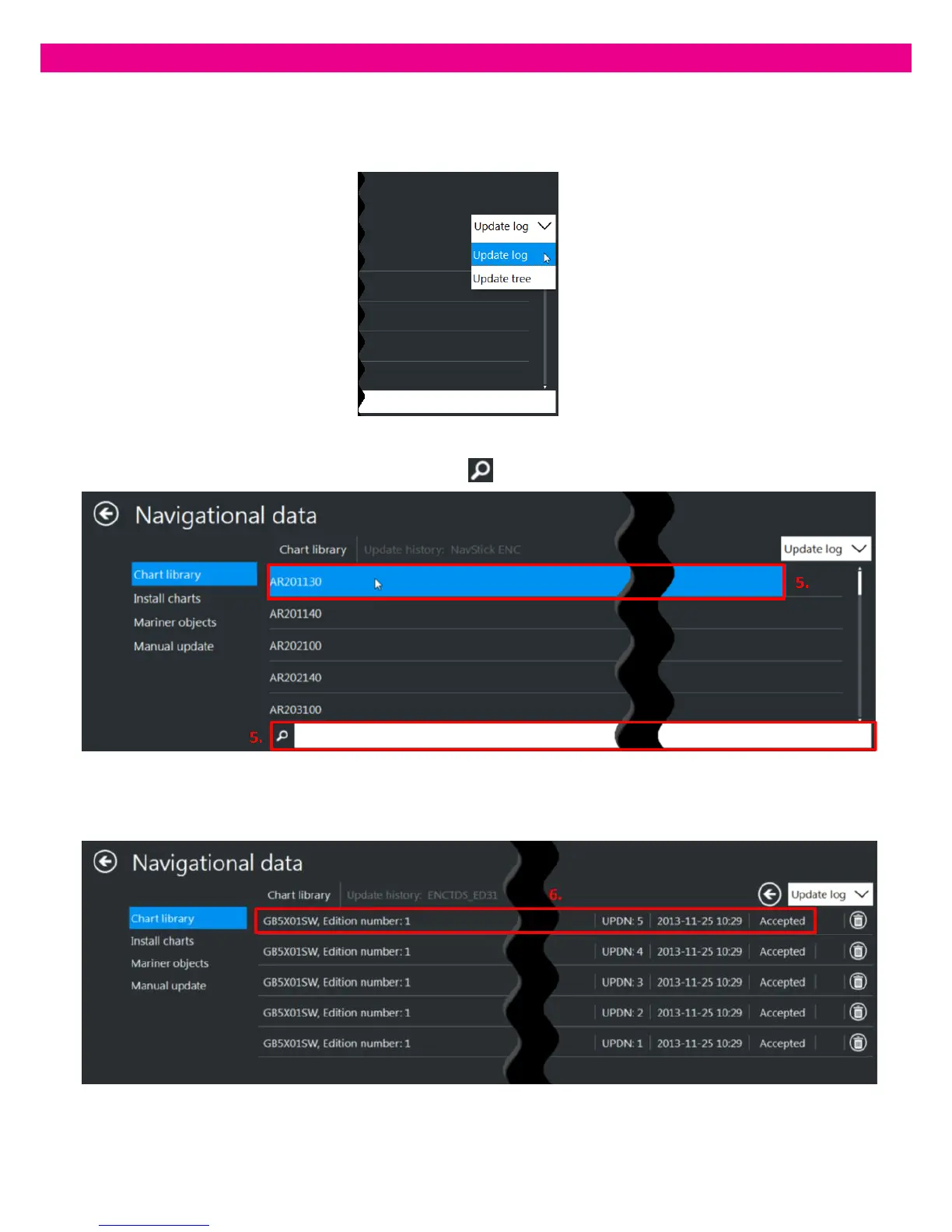
By default, the ‘Update Log’ is displayed. To switch between the updates log and updates tree, select the required
option in the drop-down list in the upper-right corner of the panel.
5. To view information about updates applied to a Cell, select the required Cell in the list. Alternatively, use the Search
field at the bottom of the Cells list to find the Cell you need.
6. The list of updates applied to the selected Cell opens showing the Dataset name. Dataset Edition number, Update
number, Update application date, Update status:



 To Next Page