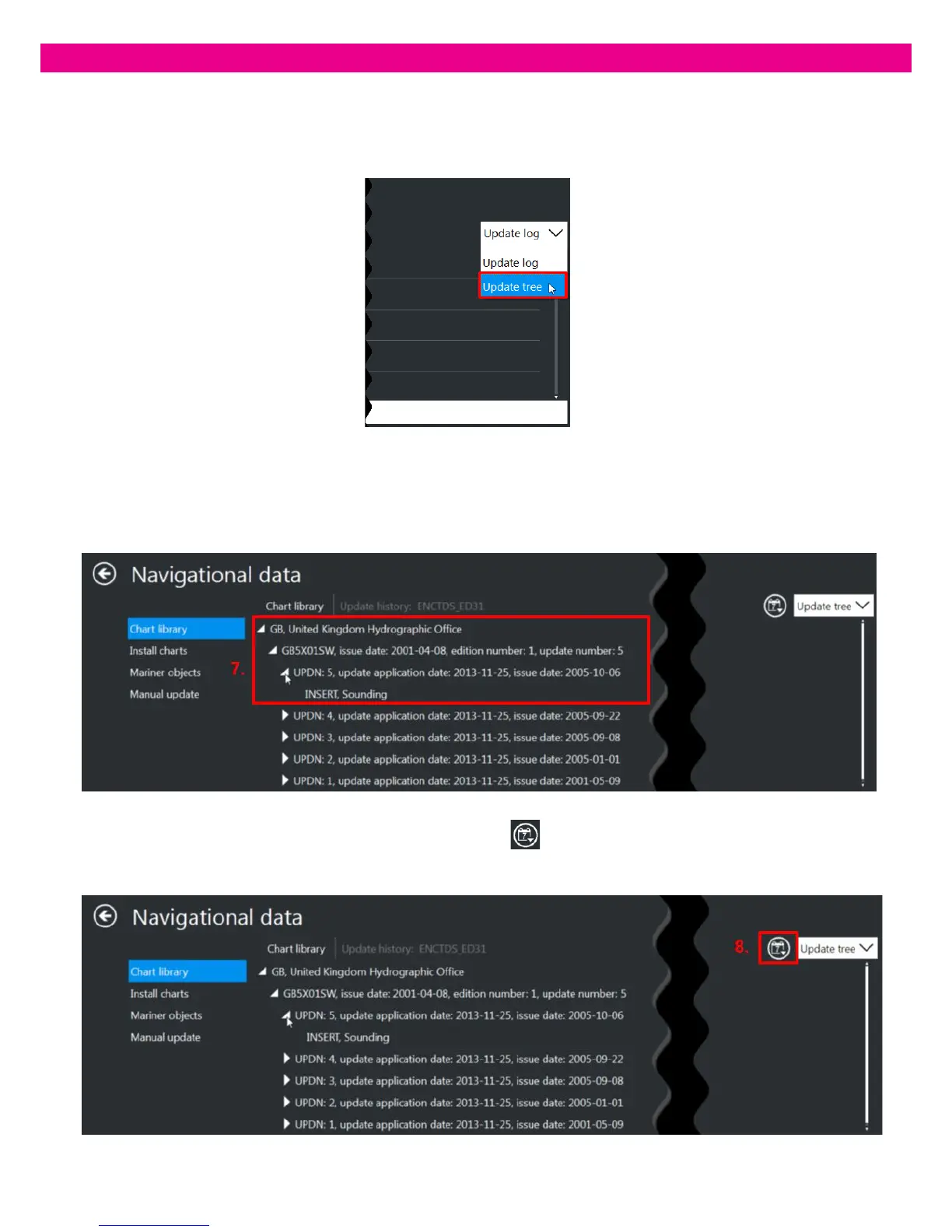
5. By default, the ‘Update Log’ is displayed. To switch to the Update Tree, select the Update Tree option in the drop-
down list in the upper-right corner of the panel.
6. The Update Tree opens with updates grouped by producing agency and sorted alphabetically. The Update Tree
levels include: Hydrographic office, Dataset, Update, Updated objects.
7. To expand each level, press the arrow button near the level name or double-click the level. To collapse a level, press
the arrow button or double-click the level once more.
8. To group and sort updates by date, press the ‘Sort by Date’ button in the upper-right corner of the panel:
updates are grouped and sorted by date. The Update Tree levels include: Update date, Cell number, Update,
Updated objects.



 To Next Page