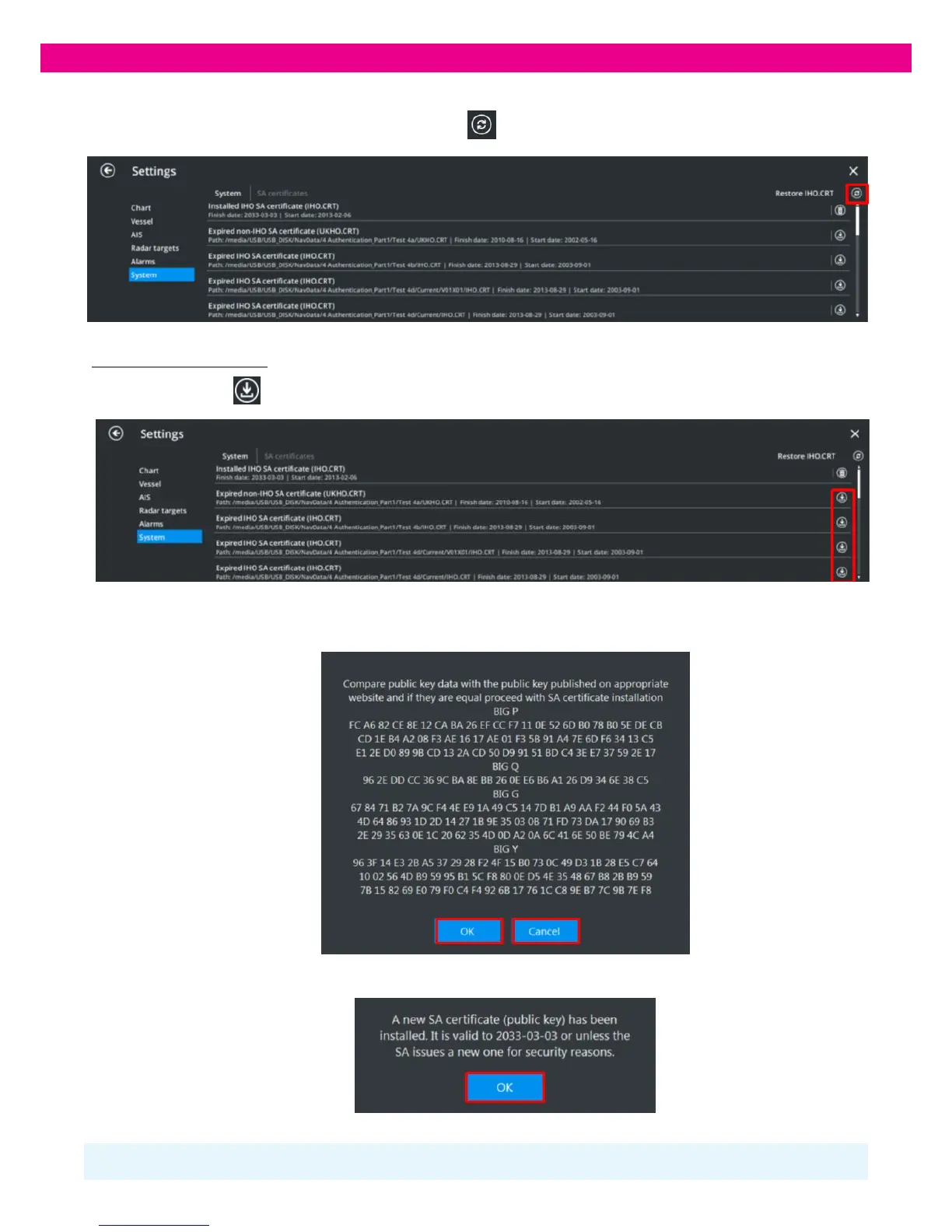
3. When the ‘SA Certificates’ panel is opened for the first time after ECDIS launch, the SA Certificates search starts automatically. To
refresh the SA Certificates list manually, press the ‘Refresh’’
button in the upper-right corner of the panel:
Installing new SA Certificate
1. Press the ‘Install’’ button on the ‘Systems’ window:
2. The Certificate data opens. Compare the displayed data with the SA Certificate published on the website of the Scheme
Administrator and press ‘OK’ if the data is identical or ‘Cancel’ if you find any discrepancies:
3. After you have pressed ‘OK’, the Certificate is installed in the ECDIS and a notification message appears. Press ‘OK’.
Note: If you install a newly issued SA Certificate, it overwrites the old Certificate.
If you install an SA Certificate of a different Scheme Administrator, it is installed alongside the previously installed Certificates.



 To Next Page