© Danfoss | Climate Solutions | 2023.10
(A)
(B)
CANRJ
USB
Danfoss
80G296B.10
EKE
AN232086439413en-000705 | 9
KoolProg
KoolProg is a software tool for quickly and easily conguring EKE controllers. It enables you
to make online changes to parameter conguration, copy settings to multiple controllers,
monitor the live status of input/outputs, and quickly analyze controller behavior and pro-
gram patterns with a graphical trending tool.
KoolProg Software is available for download free of charge at http://koolprog.danfoss.com.
KoolProg requires a Gateway (code 080G9711) to connect to the PC.
Always use latest KoolProg version and create program based on the product and
software version of EKE.
Important note!
To guarantee a reliable USB connection to a host device (e.g. industrial PC), you must:
• Connect terminals R and H on MMIMYK CAN port using a termination wire.
• Place cable holder close to MMIMYK to keep USB connector rmly in place.
• Keep USB cable length < 1 m.
• Place MMIMYK and route USB cable far from noise sources (inverter, motors, contactors etc.)
USER INTERFACE
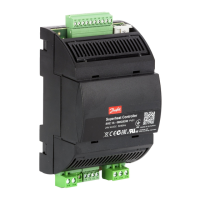
EKE 1A can be setup using one of the following user interfaces:
1. Danfoss KoolProg software
2. Danfoss MMIGRS external display
LED indication
(A) Two status LEDs to indicate operational status
• Steady green = power ON
• Flashing green = data transmission / initialization
• Flashing red = alarm / error condition
(B) Two status LEDs to indicate valve operation
• Flashing red = valve closing
• Steady red = valve fully closed
• Flashing green = valve opening
• Steady green = valve fully open
• Both green and red ashing = valve-related alarm
Cable holderPower supply
Gateway


 To Next Page
 Loading...