7. Autofocus failure
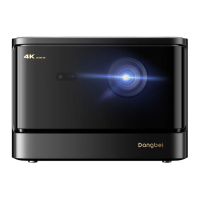
a.Ensure that the Camera/TOFon the front panel is not blocked or dirty.
b.The best autofocus distance is 2.0-4.0m,horizontal ±20°.
8. Smart Eye Protection failed
a.Ensure that the Camera/TOFon the front panel is not blocked or dirty
b.The optimal sensing range is located around the center of the image.Being too close to the edges may result in the eye
protection feature not triggering.
9. Intelligent Screen Fit failure
a.Ensure that the projector is correctly positioned,so that the projected image extends beyond the edges of the screen.
b.Ensure that the projection screen has a colored border/frame on all four sides,so that the projector can recognize the frame.
c.Ensure that the red box pattern is within the screen frame,and is not blocked.
10.The Remote Control is unresponsive
a.Ensure that the remote control is successfully paired via Bluetooth.If the pairing is successful,the LEDlight will flash once
when you press any button.When you press and hold any button,the LEDlightwill remain solid.
b.If the pairing is unsuccessful,the LEDlight will flash three times when you press any button.When you press and hold any
button,the LEDlightwill flash three times and then remain solid.
c.Check if the power indicator is still on without pressing any buttons.If it is,check the status of the remote control buttons to
ensure they are not being pressed.
d.Ensure that there are no interferences or obstructions between the projector and remote control.
e.Check the battery and installation polarity.
11.Connect the Bluetooth devices
Entersettings,open the [Remotes&Accessories] to pair more bluetooth devices.
12.Others
Pleasefeel free to contact us at support@dangbei.com
16
EN


 To Next Page