Focus Settings
Autofocus
Select [Auto Focus] to trigger the autofocus function.
The image will automatically become clear.
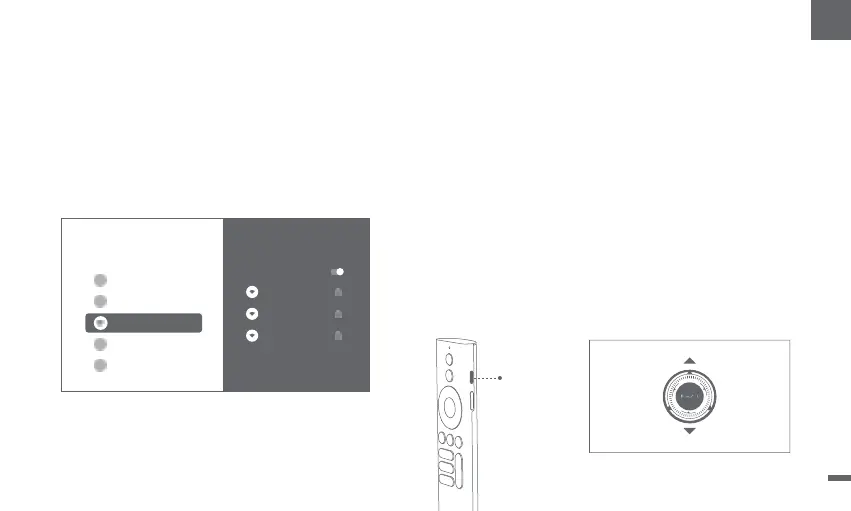
Method 1:Pressthe red side key (up) for manual focus.
Pressand hold for 2 seconds for autofocus.
Method 2:Go to [Projector],select [Focus],and choose either
manual focus or autofocus.
Network Settings
ǁGo to [Settings],select [Network & Internet],
and turn on Wi-Fi.
ǁChoose your network and enter the correct password.
Manual focus
Select [Manual Focus] and use the navigation keys (up/down)
on the remote control to adjust the focus distance and make
the image clear.
Press the
red side key
Settings
Network & Internet
Wi-Fi
GENERALSETTINGS
Netwo r k &Internet
Da ngbei _5 G
Dang bei_5G
Co nn ec te d
Dangbei_2.4G
My_WiFi_5G
Seea l l
Ad d n ewn e t wo r k
09
EN


 To Next Page