P I 02 9604 1226 E I sales@danielaappliances.com.au W | danielaappliances.com.au
PAGE 16
Setting the timer to turn one or more cooking zones o
Set one zone
• Touching the heating zone selection control
that you want to set the timer for.
WARNING:
1. Other cooking zone will keep operating if they
are turned on previously.
2. The red dot next to power level indicator will
illuminate indicating that zone is selected.
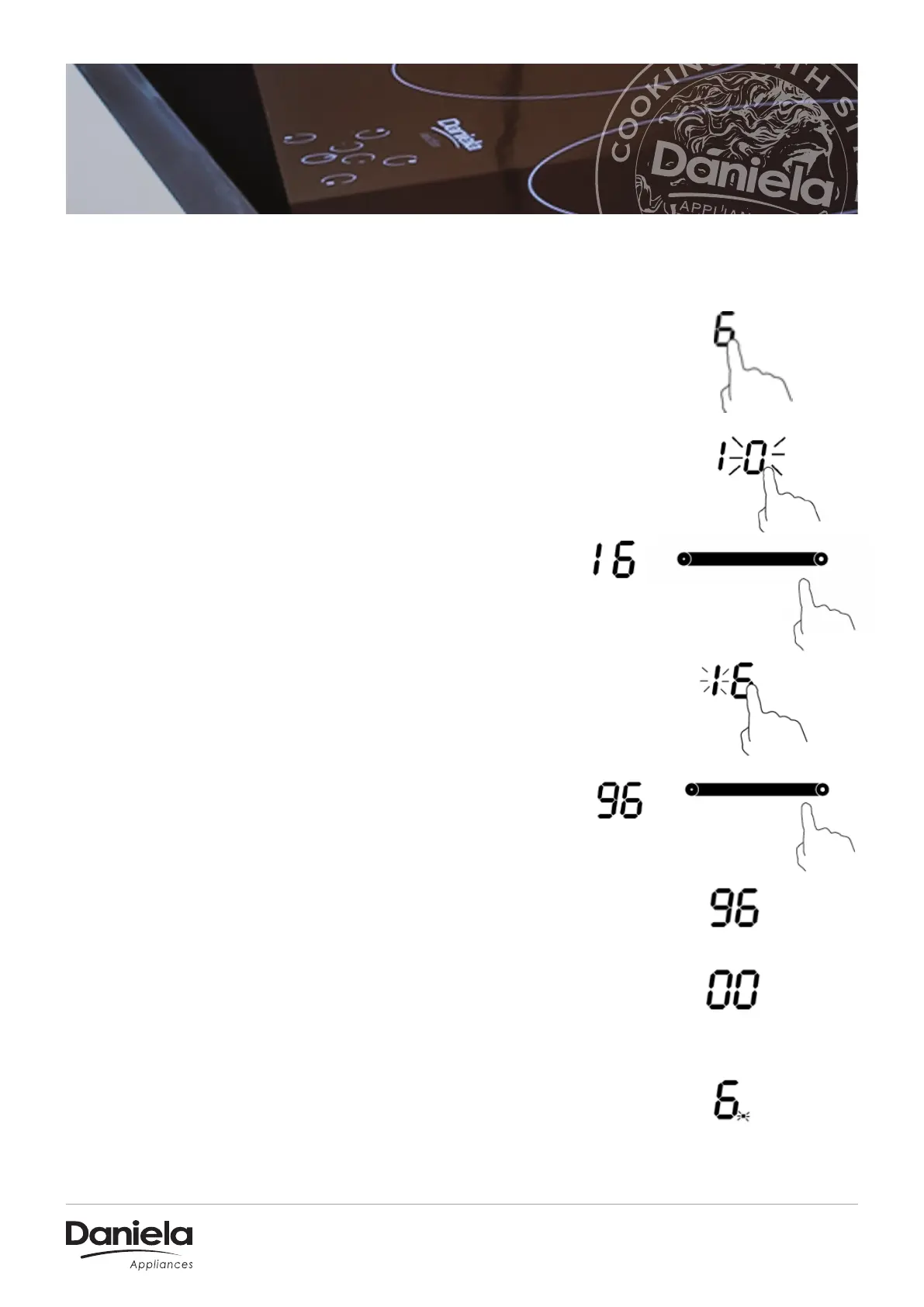
• Set the time by touching the slider control. (e.g. 6)
• Touch timer control, the “ 10 ” will show in the timer
display and the “ 0 ” flashes.
• Touch timer control again, the “ 1 ” will flash.
• Set the time by touching the slider control (e.g. 9),
now the timer you set is 96 minutes.
• When the time is set, it will begin to count down
immediately. The display will show the remaining time
and the timer indicator flash for 5 seconds.
• When cooking timer expires, the corresponding
cooking zone will be switched o automatically.


 To Next Page