P I 02 9604 1226 E I sales@danielaappliances.com.au W | danielaappliances.com.au
PAGE 9
USING THE TOUCH CONTROLS
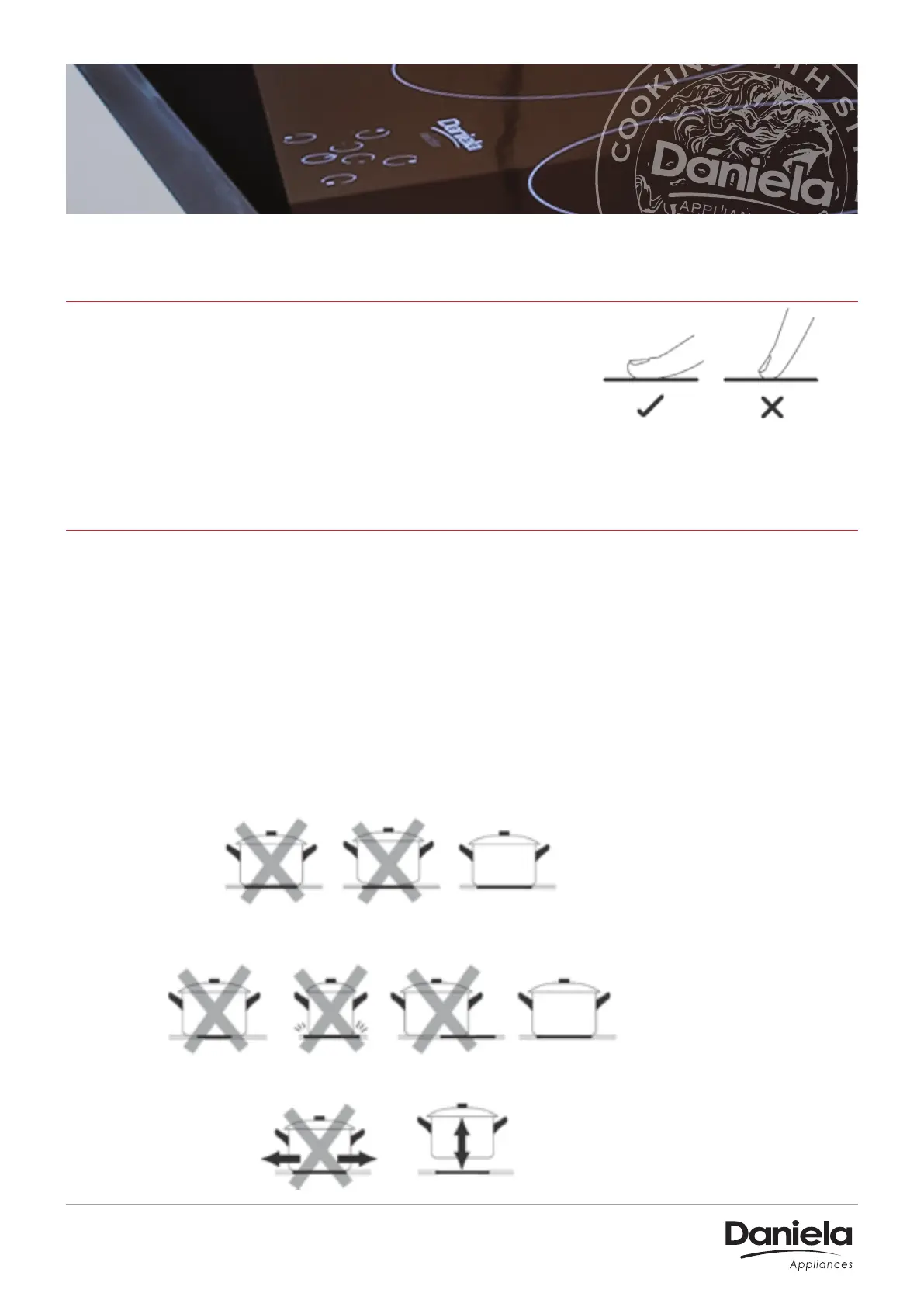
• The controls respond to touch, so you don’t need
to apply any pressure.
• Use the ball of your finger, not its tip.
• You will hear a beep each time a touch is registered.
• Make sure the controls are always clean, dry, and that there is no object (e.g. a utensil or
a cloth) covering them. Even a thin film of water may make the controls dicult to operate.
CHOOSING THE RIGHT COOKWARE
• Only use cookware with a base suitable for induction cooking. Look for the induction
symbol on the packaging or on the bottom of the pan.
• You can check whether your cookware is suitable by carrying out a magnet test. Move a
magnet towards the base of the pan. If it is attracted, the pan is suitable for induction.
• If you do not have a magnet:-
1. Put some water in the pan you want to check.
2. If it does not flash in the display and the water is heating, the pan is suitable.
• Cookware made from the following materials is not suitable: pure stainless steel, aluminium
or copper without a magnetic base, glass, wood, porcelain, ceramic, and earthenware.
Always lift pans o the ceramic hob – do not slide, or they may scratch the glass.
Make sure that the base of your pan is smooth, sits flat against the glass, and is the same size as
the cooking zone. Always centre your pan on the cooking zone.
Do not use cookware with jagged edges or a curved base.


 To Next Page