EasyManua.ls Logo

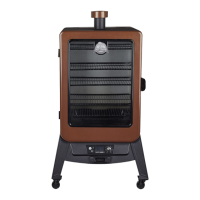
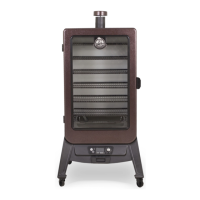
Dansons Group Pit Boss 7 Series - User Manual

Dansons Group Pit Boss 7 Series
64 pages
Print Icon
To Next Page IconTo Next Page
Loading...
WARNING: Please read the entire manual before installation and use of this electric, pellet fuel-burning
appliance. Failure to follow these instructions could result in property damage, bodily injury or even death. Contact
local building or fire officials about restrictions and installation inspection requirements in your area.
AVERTISSEMENT : Veuillez lire l’intégralité du manuel avant l’installation et l’utilisation de cet appareil électronique
à granules. Le non-respect de ces instructions peut entraîner des dommages aux biens, des blessures ou même la
mort. Communiquez avec les autorités locales en matière d’incendie et de bâtiment concernant les restrictions et les
exigences d’installation dans votre région.
 
 
   |   
5005166
 /   71
 /   10716, 77700
WOOD PELLET
SMOKER (7-SERIES)
IMPORTANT, READ CAREFULLY, RETAIN
FOR FUTURE REFERENCE. MANUAL MUST
BE READ BEFORE OPERATING!
FUMEUR VERTICAL
À GRANULÉS DE
BOIS (SÉRIE 7)
IMPORTANT, PRENEZ CONNAISSANCE
DE CE DOCUMENT ET CONSERVEZ-LE POUR
RÉFÉRENCE ULTÉRIEURE VOUS DEVEZ LIRE CE
GUIDE AVANT D’UTILISER LE BARBECUE !
     .    .
  '    .      .
71

Table of Contents

Questions and Answers

  • C
    Cristina StevensonAug 17, 2025
    What to do if Dansons Group Smokers control board has no power lights?
    • N
      Nancy MorrisAug 17, 2025
      If there are no power lights on the control board of your Dansons Group Smoker, try the following: * Press the Power Button, holding it for two seconds to ensure connection. * Ensure the smoker is plugged into a working power source and reset the breaker. Check that the GFCI is a minimum 10 Amp service. Make sure all wire connections are firmly connected and dry. * Remove cooking components, turn the unit on its side, and remove the screws on the rear of the Control Board. Check the fuse for a broken or blackened wire; if so, replace the fuse. * If none of these steps work, the Control Board may need replacement. Contact Customer Service.
  • J
    Jeff PittsAug 20, 2025
    Why is my Dansons Group Pit Boss 7 temperature flashing on the LED screen?
    • M
      Mr. Steven RobertsonAug 20, 2025
      The flashing temperature on the LED screen of your Dansons Group Smoker indicates that the smoker temperature is below 65°C / 150°F. This is not an error, but it suggests the fire could go out. Check the hopper for sufficient fuel and look for obstructions in the feed system. Remove pellets and follow the Care and Maintenance instructions. Also, inspect the Grill Probe and burn pot for ash build-up or obstructions, and ensure the fan is working correctly with no blocked air intake. Finally, check the auger motor for proper operation and ensure no blockage in the auger tube.
  • H
    hbuchananAug 22, 2025
    What to do if my Dansons Group Pit Boss 7 Smokers will not achieve or maintain stable temperature?
    • K
      Kevin BarrettAug 23, 2025
      If your Dansons Group Smoker isn't maintaining a stable temperature, check the following: * Ensure sufficient airflow through the burn pot by checking for ash build-up or obstructions. Make sure the fan is working correctly and the air intake isn't blocked. * Verify there's enough fuel and that the wood pellets are of good quality, without obstructions in the feed system. Remove pellets and follow Care and Maintenance instructions. * Check the Grill Probe and follow Care and Maintenance instructions if it is dirty. If damaged, contact Customer Service for a replacement. After these steps, start the smoker, set the temperature to SMOKE, wait 10 minutes, and check that the flame is bright and vibrant.
  • K
    Kristin FarrellAug 26, 2025
    What does "ErH" error code mean on Dansons Group Pit Boss 7?
    • M
      Maria LoganAug 26, 2025
      The "ErH" error code on your Dansons Group Smoker indicates that the smoker has overheated, possibly due to a grease fire or excess fuel. To resolve this, press and hold the Power Button to turn the unit off and allow the smoker to cool down. Follow the Care and Maintenance instructions. After maintenance, remove pellets and confirm the positioning of all component parts. Once cooled, press the Power Button to turn the unit on, then select the desired temperature. If the error code is still displayed, contact Customer Service.
  • L
    Laura ObrienAug 28, 2025
    Why Dansons Group Pit Boss 7 produces excess or discolored smoke?
    • D
      Deborah HoffmanAug 28, 2025
      Excessive or discolored smoke from your Dansons Group Smoker can be due to several factors: * Grease build-up: Follow the Care and Maintenance instructions. * Wood pellet quality: Remove moist wood pellets from the hopper and clean it out, then replace with dry wood pellets. * Blocked burn pot: Clear the burn pot of moist wood pellets. Follow the Hopper Priming Procedure. * Insufficient air intake: Check the fan to ensure it's working properly and the air intake isn't blocked. Follow the Care and Maintenance instructions if it's dirty.
  • K
    ksmithAug 31, 2025
    What to do if Dansons Group Pit Boss 7 fire in burn pot will not light?
    • R
      Robin OsbornAug 31, 2025
      If the fire in the burn pot of your Dansons Group Smoker won't light, it could be due to a few reasons: * Auger not primed: Before the first use or after the hopper is emptied, the auger must be primed to fill the burn pot with pellets. Follow the Hopper Priming Procedure. * Auger motor jammed: Turn the unit on, set the Temperature Control Dial to SMOKE, and check if the auger is dropping pellets into the burn pot. If not, contact Customer Service. * Igniter failure: Inspect the igniter to ensure it's working and protruding approximately 13mm / 0.5 inches into the burn pot. If not, follow the Manual Start-up Procedure, and contact Customer Service.
  • D
    Daniel HayesSep 2, 2025
    What does "noP" error code mean on Dansons Group Pit Boss 7?
    • M
      Matthew FoxSep 2, 2025
      The "noP" error code on your Dansons Group Smoker indicates a problem with the meat probe connection. Try these steps: * Disconnect the meat probe from the connection port on the Control Board and reconnect it, ensuring it's firmly connected. Check the adapter end for damage. * Check the meat probe wires for any signs of damage. * If the issue persists, the Control Board may be faulty, and you should contact Customer Service for a replacement.
  • E
    Emma BlakeSep 5, 2025
    What does "Er1" error code mean on Dansons Group Smokers?
    • A
      Amy GreeneSep 5, 2025
      The "Er1" error code on your Dansons Group Smoker indicates that the grill probe wire is not making a connection. Access the electrical components on the base of the unit (see Electric Wire Diagram) and check for any damage to the Grill Probe wires. Ensure the Grill Probe spade connectors are firmly and correctly connected to the Control Board.
  • T
    Teresa HarrisSep 8, 2025
    Why is my Dansons Group Pit Boss 7 Smokers thermometer showing temperature when unit is off?
    • K
      Kristi DavisSep 8, 2025
      If the thermometer on your Dansons Group Smoker shows a temperature when the unit is off, it means the internal temperature of the main cabinet has reached or exceeded 54°C / 130°F due to high ambient temperature or direct sunlight. This will not harm the smoker. Move the smoker to a shaded area and prop the cabinet door open to reduce the internal temperature.
  • K
    kristin32Sep 12, 2025
    Why my Dansons Group Pit Boss 7 Smokers has frequent flare-ups?
    • A
      Anthony TorresSep 12, 2025
      Frequent flare-ups in your Dansons Group Smoker can be due to: * Cooking temperature: Try cooking at a lower temperature, keeping it under 176°C / 350°F when cooking greasy foods. * Grease build-up: Follow the Care and Maintenance instructions to clean the cooking components.

Summary

Safety Information

Dangers and Warnings

Critical hazards, risks, and essential warnings to prevent injury or damage.

Disposal of Ashes

Proper and safe methods for disposing of cooled ashes from the smoker.

Wood Pellet Fuel

Guidelines on the correct type of fuel and storage for optimal smoker performance.

Creosote

Information on creosote formation, risks, and cleaning procedures.

Carbon Monoxide

Awareness and prevention of carbon monoxide poisoning risks.

Assembly Instructions

Assembly Preparation

Steps and tips before starting the smoker assembly process.

Mounting Support Legs

Attaching the smoker's support legs to the main cabinet structure.

Securing Control Board

Fastening the control board securely to the smoker's support legs.

Mounting Support Panels

Installing the side support panels onto the smoker's frame.

Securing Support Bar

Attaching the support bar to the rear of the smoker unit.

Mounting Grease Exhaust Tube

Installing the tube for grease exhaust on the underside of the cabinet.

Attaching Heat Shield

Positioning and securing the heat shield near the control board.

Mounting Power Cord Bracket

Installing the bracket to manage the smoker's power cord.

Securing Grease Tray Brackets

Fastening the brackets for the grease tray and wire housing.

Placing Grease Tray

Inserting the grease tray into its designated position under the cabinet.

Attaching Hopper Clean-Out Knob

Installing the knob onto the hopper clean-out door.

Mounting Back Handle

Attaching the handle to the rear side of the smoker's hopper.

Securing the Chimney

Installing the chimney stack and cap onto the top of the smoker.

Installing Lid Stopper

Mounting the stopper to prevent the hopper lid from opening too wide.

Mounting Cabinet Door Handle & Latch

Attaching the door handle and latch to the smoker's cabinet door.

Installing Cooking Components

Placing cooking grids, water pan, and flame tamer inside the cabinet.

Connecting to Power Source

Proper procedures for connecting the smoker to an electrical power source.

Operating Instructions

Smoker Environment

Guidelines for setting up and using the smoker in various outdoor conditions.

Cold Weather Cooking

Tips and adjustments for operating the smoker in cold temperatures.

Hot Weather Cooking

Recommendations for cooking with the smoker during warm weather.

Smoker Temperature Ranges

Explains different temperature settings and their uses for cooking.

Understanding the Control Board

Detailed explanation of the control panel functions and indicators.

Understanding the Probes

Information on the grill probe and meat probe usage and readings.

Hopper Priming Procedure

Steps to prime the auger system for initial pellet feeding.

First Use - Smoker Burn-Off

Procedure for initial burn-off before cooking food for the first time.

Automatic Start-Up Procedure

Step-by-step guide for starting the smoker automatically.

Igniter Failure Procedure

Troubleshooting steps if the electric igniter fails to operate.

Manual Start-Up Procedure

Alternative method for starting the smoker without the automatic igniter.

Shutting Off Your Smoker

Correct procedure for safely powering down and cooling the smoker.

Care and Maintenance

Hopper Assembly

Cleaning and maintenance of the pellet hopper.

Probes

Care and cleaning instructions for the grill and meat probes.

Inside Surfaces

Cleaning the interior surfaces, burn pot, and cooking components.

Outside Surfaces

Maintenance and cleaning tips for the smoker's exterior.

Using Wood Pellet Fuel

Information on different wood pellet flavors and proper storage.

Cooking Guidelines

General advice and tips for achieving optimal cooking results.

Tips & Techniques

Food Safety

Essential practices for safe food handling and preparation.

Cooking Preparation

Tips for organizing ingredients and equipment before cooking.

Smoking Tips and Techniques

Advanced techniques for enhancing smoke flavor and cooking results.

Troubleshooting

No Power Lights On The Control Board

Solutions for when the smoker's control board has no power.

Fire In Burn Pot Will Not Light

Troubleshooting steps for when the burn pot fails to ignite.

Flashing Dots On LED Screen

Understanding the meaning of flashing dots on the LED display.

Flashing Temperature On LED Screen

Interpreting flashing temperature readings on the LED screen.

ErH Error Code

Resolving the "ErH" error code indicating potential overheating.

Er1 Error Code

Troubleshooting the "Er1" error, related to probe connections.

noP Error Code

Addressing the "noP" error code indicating probe connection issues.

Smoker Will Not Achieve Or Maintain Stable Temperature

Diagnosing and fixing issues with maintaining stable smoker temperatures.

Smoker Produces Excess Or Discolored Smoke

Identifying causes and solutions for excessive or discolored smoke.

Frequent Flare-Ups

Tips to prevent or manage frequent flare-ups during cooking.

Electrical Wire Diagram

Electric Requirements

Overview of the electrical requirements and wiring for the smoker.

Replacement Parts

Electrical Replacement Parts

Warranty

Conditions

Terms and conditions of the limited warranty for the smoker.

Exceptions

Limitations and exclusions that are not covered by the warranty.

Ordering Replacement Parts

How to order replacement parts for the smoker unit.

Contact Customer Service

Contact information for customer support and inquiries.

Warranty Service

Procedures for obtaining warranty repair or replacement services.

Accessories Sold Separately

Recipes

Smoked Halibut

Recipe for preparing smoked halibut with specific wood pellet flavors.

Smoked Cornish Hens

Recipe for smoking Cornish hens with recommended pellet flavors.

Smoked Beef Brisket

Recipe for smoking a beef brisket using specific pellet flavors.

Smoked Prime Rib Roast

Recipe for smoking a prime rib roast with suggested pellet flavors.

Smoked Ribs

Recipe for smoking pork ribs using various pellet flavor options.

Smoked Stuffed Pork Tenderloin

Recipe for preparing smoked stuffed pork tenderloin.

Smoked Chicken

Recipe for smoking whole chicken or chicken parts.

Smoked Sausage with Mango Chutney

Recipe for smoking sausages and serving with mango chutney.

Whole Smoked Turkey

Recipe for smoking a whole turkey with recommended pellet flavors.

Dansons Group Pit Boss 7 Series Specifications

General IconGeneral
BrandDansons Group
ModelPit Boss 7 Series
CategorySmokers
LanguageEnglish

Related product manuals