26
EN
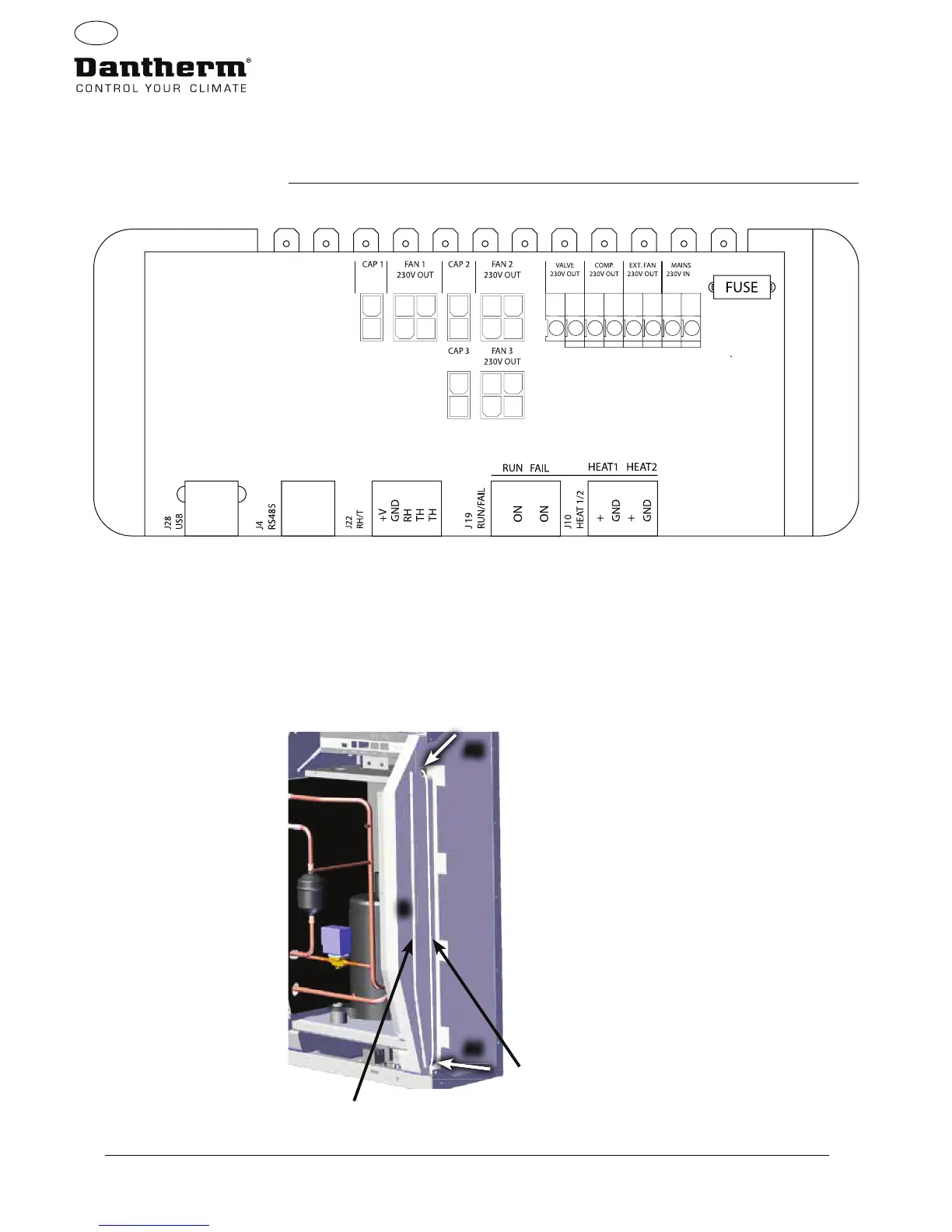
Overview of PCB connections
Routing of cables for
accessories
from terminal rail to PCB
Pull the cable through hole A1 and to the hole A2 to connect to PCB.
The groove B is for use with cable from external RH sensor (not included) as it requires a seperate
groove to avoid interference.
All other cables are to be placed in groove A1-A2
Wiring diagrams-
Page 327
Main PCB and wiring diagrams


 To Next Page