7
Decals &
Safety Signs
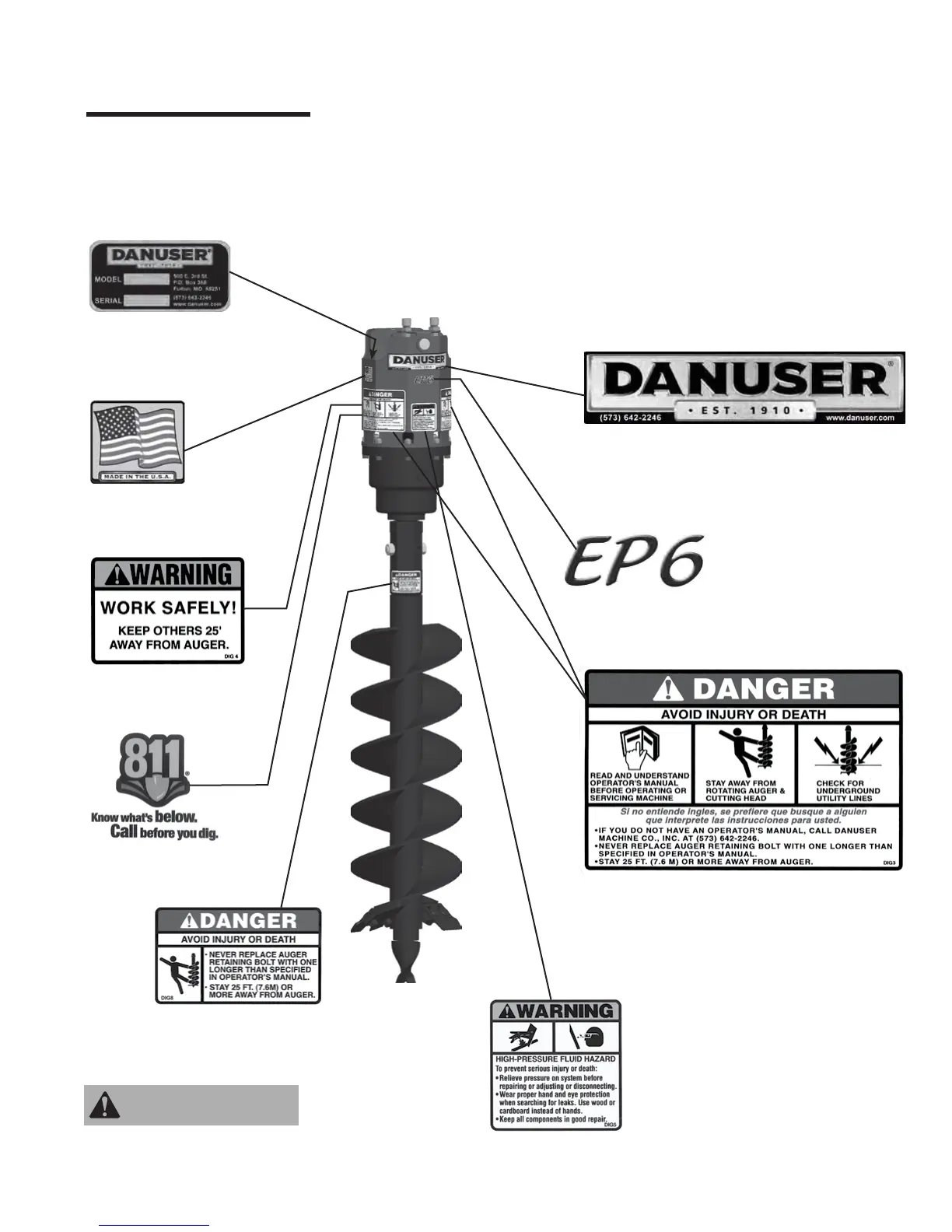
PART NO. DIG8
Location: Auger
Clean or replace all safety
signs if they cannot be
clearly read and understood.
WARNING
PART NO. DANUSER100
Location: Drive unit, front
PART NO. DIG3
Locations: Drive unit, left side;
Drive unit, right side
PART NO. DIG4
Location: Drive unit, rear
PART NO. DIG5
Location: Drive unit, front
PART NO. 9875
Location: Drive unit, right side
PART NO. 20673
Location: Drive unit, rear
PART NO. 10981 (EP6)
PART NO. 10982 (EP10)
PART NO. 10983 (EP15)
PART NO. 20003 (EP20)
Location: Drive unit, front
The earth auger comes equipped with all safety signs in place. Their locations are shown in
this section. Read and follow their instructions and ensure their care:
• Keep safety signs clean and legible at all times.
• Replace safety signs that are missing, illegible, or damaged.
• Ensure replacement parts installed during repair have safety signs attached.
To install new safety signs, follow these steps:
1. Clean the area where the safety sign is to be placed.
2. Spray a little soapy water on the surface where the safety sign is to be placed.
3. Peel the backing from the safety sign, and apply it in the position shown.
4. Firmly press the safety sign, and squeeze out the air bubbles with a straight edge (e.g., a
credit card).
Model No. & Serial No.
Location: Drive unit,
inside right side


 To Next Page