Connection Instructions for the DC-7600 Laminator Station
Hardware Connections :
Note: Before connecting the laminator and the DC-7600 power supplies, first make sure that the laminator
and the DC-7600's power button are in the Off state.
After connecting the power supply, turn on the laminator power supply first and then turn on the DC-7600
power supply.
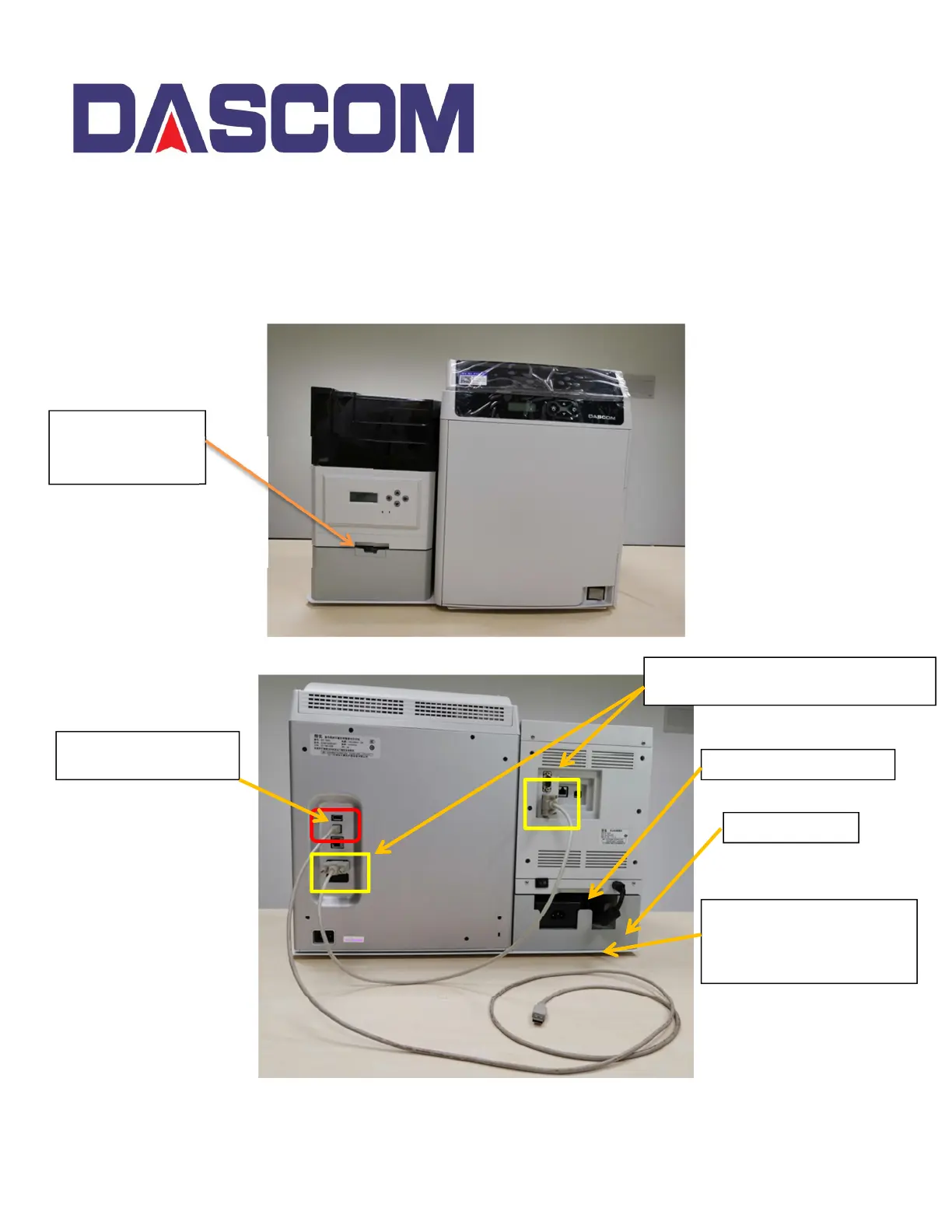
The RFID Tag Slot
for identifying the
Laminate.
USB Port connection
from the PC
Serial Cable – Connection between
the Laminator and the DC-7600 Printer
Laminator Power Supply
Laminator Base
Bottom Plate – The
DC_7600 and Laminator
are fixed to the bottom
plate.



 To Previous Page