EasyManua.ls Logo

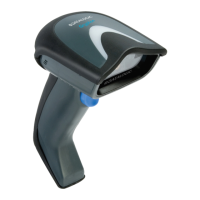
Datalogic Gryphon I GM4500 - User Manual

Datalogic Gryphon I GM4500
356 pages
Print Icon
To Next Page IconTo Next Page
Loading...
L
Gryphon™ 2D Family
Gryphon I GD/GBT/GM4500
PRODUCT REFERENCE GUIDE
General Purpose Handheld
Area Imager Bar Code Reader

Table of Contents

Other manuals for Datalogic Gryphon I GM4500

Questions and Answers

  • J
    Jennifer ChapmanAug 7, 2025
    What to do if Datalogic Barcode Reader LED is on but barcode doesn't decode?
    • C
      Chris WrightAug 7, 2025
      If the LED is on, but the bar code doesn't decode, it could be due to several reasons: * The reader might not be programmed for the correct bar code type. In this case, ensure the reader is programmed to read the type of bar code scanned. * The bar code label may be unreadable. Check the label to ensure it is not defaced. You can also try scanning another bar code type. * The distance between the reader and the bar code might be incorrect. Try moving the reader closer to or further from the bar code.
  • C
    Christopher GardnerAug 12, 2025
    Why Datalogic Barcode Reader does nothing when I pull the scan button?
    • T
      Tiffany WilsonAug 12, 2025
      If nothing happens when you pull the scan button on your Datalogic Barcode Reader, the issue might be due to: * No power to the reader. Check the system power and ensure the power supply is connected. * Loose interface or power cables. Make sure all cable connections are secure.
  • J
    James PowellAug 17, 2025
    What to do if Datalogic Barcode Reader LED is on, but the barcode does not decode?
    • C
      Carla LucasAug 17, 2025
      If the LED is on but your Datalogic Barcode Reader isn't decoding, there could be a few reasons. First, the reader might not be programmed to read that specific type of barcode, so ensure it is properly configured. Second, the barcode label itself might be damaged or unreadable; check for any damage and try a different barcode. Finally, the distance between the reader and the barcode could be off; try moving the reader closer or further away from the barcode.
  • M
    Mary WeaverAug 22, 2025
    Why nothing happens when I pull the scan button on my Datalogic Gryphon I GM4500?
    • P
      Paul ReidAug 23, 2025
      If nothing happens when you pull the scan button on your Datalogic Barcode Reader, the issue is likely related to power or connectivity. First, check the system power to ensure the imager is receiving power and that the power supply is properly connected. Second, make sure all interface and power cable connections are secure, as loose cables can prevent the device from functioning.
  • T
    Tonya EricksonAug 27, 2025
    How to fix Datalogic Barcode Reader that decodes but doesn't transmit to host?
    • K
      Kimberly DunlapAug 27, 2025
      If the bar code is decoded but not transmitted to the host, the Datalogic Barcode Reader may not be programmed for the correct host type. To resolve this, scan the appropriate host type bar code.
  • T
    tammyclarkSep 1, 2025
    How to fix Datalogic Barcode Reader that decodes but does not transmit to the host?
    • B
      Brendan LoveSep 1, 2025
      If your Datalogic Barcode Reader decodes the barcode but doesn't transmit it to the host, the imager might not be programmed for the correct host type. Scan the appropriate host type barcode to resolve this.

Datalogic Gryphon I GM4500 Specifications

General IconGeneral
ConnectivityBluetooth, USB
Operating Temperature-20°C to 50°C
Radio Frequency2.4 GHz
IP RatingIP52
TypeHandheld
Scanning Capability1D/2D Barcodes
Decode Capability1D/2D Barcodes

Related product manuals