EasyManua.ls Logo

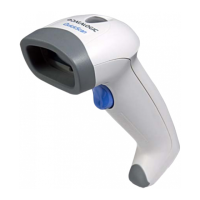
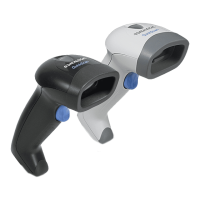
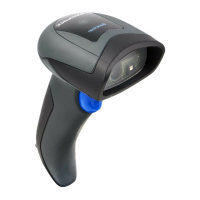
Datalogic QuickScan L QD2300 - User Manual

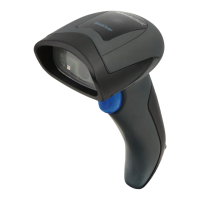
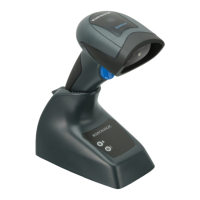
Datalogic QuickScan L QD2300
32 pages
Print Icon
To Next Page IconTo Next Page
Loading...
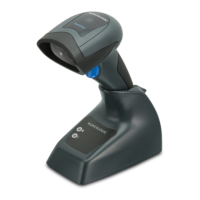
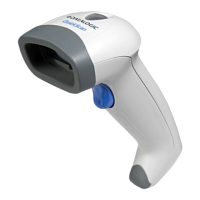
QuickScan™ L
QD2300 Barcode Scanner
Quick Reference Guide

Questions and Answers

  • K
    Katie CrosbyAug 10, 2025
    How to fix degraded barcode reading ability on Datalogic QuickScan L QD2300 Barcode Reader?
    • H
      harrisericAug 11, 2025
      If the barcode reading ability of your Datalogic Barcode Reader has degraded, the scan window may have become scratched or contaminated with dust. Replace the window as instructed in this guide.
  • K
    Kimberly EllisAug 17, 2025
    Why Datalogic QuickScan L QD2300 Barcode Reader laser is on, but barcode does not decode?
    • J
      James ThomasAug 18, 2025
      If the Datalogic Barcode Reader's laser is on but the barcode isn't decoding, it could be due to a few reasons. First, the scanner might not be programmed for the correct barcode type; in that case, refer to the Product Reference Guide (PRG) for more information. Second, the barcode label may be unreadable because it's defaced, so try scanning a different barcode. Finally, the distance between the scanner and barcode might be off, so try moving the scanner closer or further away from the barcode.
  • C
    chamberstannerAug 27, 2025
    What to do if Datalogic QuickScan L QD2300 decodes but not transmitting to the host?
    • M
      matthewscolinAug 27, 2025
      If the Datalogic Barcode Reader decodes the barcode but doesn't transmit it to the host, the scanner may not be programmed for the correct host type. To resolve this, scan the appropriate host type barcode. Refer to the Product Reference Guide (PRG) for more information.
  • N
    Nathan RussellSep 2, 2025
    Why nothing happens when scan button is pulled on Datalogic Barcode Reader?
    • L
      Leslie TurnerSep 2, 2025
      If nothing happens when you pull the scan button on your Datalogic Barcode Reader, it could be due to a couple of reasons. First, there might be no power to the scanner, so check the system power and ensure the power supply is connected. Second, the interface or power cables might be loose, so make sure all cable connections are secure.

Datalogic QuickScan L QD2300 Specifications

General IconGeneral
TypeHandheld
Drop Resistance1.5 m
ConnectivityWired
Scan Rate100 scans per second
InterfaceUSB, RS-232, Keyboard Wedge
Operating Temperature0°C to 50°C
Storage Temperature-20°C to 60°C
Decode CapabilityAll standard 1D barcodes
Resolution4 mils
Humidity5% to 95% (non-condensing)
Power Supply5 VDC +/- 5%
Current Consumption100 mA
Cable Length1.8 m

Related product manuals