TESTING VOICE LINE. (Continued)
3. NOTE: If there are any issues other than a completed call and calling number
identification/verification such as a call didn't go through or any other condition, STOP and call
DataRemote Installation Support to report the issue and work to resolve before proceeding.
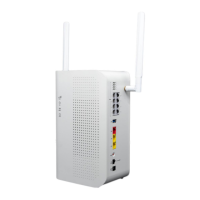
Record the calling phone number in the Checklist for this site as Phone 1's (primary) new CDS-9010
number. Repeat steps 2 - 5 accordingly by performing the steps again using the phone 2 line port
of the DataRemote CDS-9010 device (if the lines are voice lines.)
TESTING FIRE PANEL.
1. Locate the fire panel. Have the Manager escort you to the room/area where the active Fire
Alarm Panel is located if not already visible refer to your Installer representative/ manual for a
sample picture of typical Fire Alarm Panels.
-A good indication that you've identified the correct Fire Panel is when you find the two(2)
existing POTS lines that are associated with the Fire Alarm Panel. The two (2) existing POTS lines,
(generally RJ-11 style) can appear in varied termination options and locations, such as:
a. Two (2) surface-mount jacks located just outside of the Fire Alarm Panel,
generaly RJ-31 style
b. In a 4x4 Electrical box just off to the side of the fire panel.
c. Jacks may be inside the Fire Alarm Panel on motherboard and/or a dialer
module.
IMPORTANT: Do not touch these existing surface mount jacks or their cabling at this time!!!
-Take a "BEFORE" picture of the panel and any status indicators/displayed messages
appearing to represent the condition of the panel upon arrival!
CAUTION: DO NOT DISCONNECT ANY EXISTING PHONE LINES UNTIL INSTRUCTED TO DO SO
LATER IN THIS DOCUMENT. TO DO SO EARLIER, MAY RISK A POSSIBLE DISPATCH FROM THE
RESPECTIVE ALARM COMPANY.
Installation Tasks – Locate existing POTS lines
PHASE 2
WARNING! DO NOT TOUCH THE EXISTING RJ-31 POTS JACKS NEAR FIRE PANEL UNLESS
INSTRUCTED TO DO SO.
Once the Fire Alarm Panel is located, you will need to connect the DataRemote CDS-9010 device's
phone 1-2 ports respectively with the Fire Alarm Panel's primary & secondary phone line ports
preferably utilizing the existing cabling already connecting those ports to their current POTS lines.
As stated earlier in Step 1, when trying to find the Fire Alarm Panel, that cabling is typically
terminated near the Fire Panel via some method before running inside the panel to connect to it. A
common way that was done is using two (2) surface mount jacks, but you may see other methods
as well.
Page 17
Revision No. 004 April 2020


 To Next Page