Look for the two (2) telephone number's (TN) if ID'd and labeled at the Fire Panel and
record them in your Installation Checklist and then look for labels with those TN's at the
telco room/demarc/SNI
Be sure to also note which TN may be labeled Primary or Secondary.
Tone-Trace the existing cabling:
Temporarily unplug the cable from the Fire Panel leading into one of the RJ-31x Surface
Mount jacks.
Plug Tone-Generator into the Surface Mount jack to tone-out the cabling back towards the
demarc to discover its location. Repeat for other RJ-31x jack/cable too if needed.
Restore connection to RJ-31 jack(s) if removed to conduct tone-test.
Installation Tasks – Locate Existing POTS Lines
PHASE 2 (continued)
ID the termination points of those two (2) POTS lines serving the Fire Alarm Panel at the telco
closet/ demarc/Standard Network Interface (SNI) To do so, try one or more of the following:
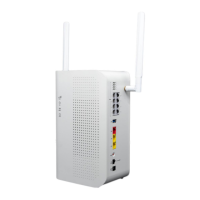
Cut-over Fire Alarm Panel lines to new DataRemote CDS-9010 device.
PHASE 3
CAUTION: ONLY PROCEED IF STEPS 1 AND 2 ARE COMPLETE & WITHOUT ANY OPEN ISSUES.
Once those POTS line terminations are found in the telco closet/demarc/SNI, their cable-runs to the
Fire Panel need to be isolated from their Telco POTS lines and redirected to the DataRemote
CDS-9010 device’s phone ports using included 5' (inch) long phone cords. The method of
termination of those lines coming back from the Fire Panel will dictate the next steps taken to cut
them over to DataRemote CDS-9010 device:
1. If the cable runs coming from the Fire Alarm Panel terminate in the telco closet/demarc/SNI to an
RJ-11 or RJ-45 patch-panel or surface-mount (SMT) jack:
a. Determine which jack is associated to the primary or secondary line from Fire Alarm
Panel and mark them respectively with new DataRemote CDS-9010 device
telephone number’s as noted in your checklist during Step 1 tasks for 9010's phone 1-2
ports respectively.
b. Remove what's plugged into the Primarily marked jack now and plug one end of a
phone cord included in the kit into that jack and the other end into phone jack of the
DataRemote CDS-9010 device respective line for Fire Alarm – primary dialer connection.
NOTE: Mark this phone 1 port's Phone cord w/ a "1" or "P" to reflect it connects to the
CDS-9010 device's Phone Alarm port.
Page 18
Revision No. 004 April 2020


 To Next Page