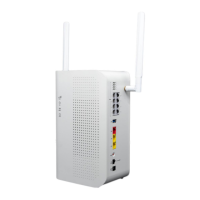
Cut-over Fire Panel Lines to New CDS-9010 device
PHASE 3 (continued)
c. Repeat with other included phone cord for secondary marked jack into phone 2 jack of
the DataRemote CDS-9010 device for Fire Alarm – secondary dialer connection
NOTE: Leave it unmarked or place a "2" or an "S" on its Phone cord.
d. If cable runs coming from the Fire Panel terminate in the telco closet/demarc/SNI onto
a 66 or 110 block, check the following:
- Determine which jack is associated with the primary or secondary line of Fire Panel and
mark them accordingly it if not already apparent/visible.
- Isolate the telco side connection from those two (2) pairs (i.e. lift bridging clips on
66-Block). Punch-down the two pairs of the new cable run to a dual SMT jack or two (2)
single-port SMT jacks (a.k.a. biscuit jacks)
- Determine and mark/label each SMT jack cover with its DataRemote CDS-9010
device’s telephone number plus some primary or secondary suffix - i.e:
Testing Fire Alarm communication over
DataRemote's CDS-9010 device.
(See following page)
PHASE 4
2. Mount the SMT Jack(s) somewhat near the DataRemote CDS-9010 device depending on 5' long
phone cord's reach and distance between 66-Blk & SMT box(es)
3. Using your cable tester, test both SMT jack terminations and take PHOTO of test results to add to
deliverables (REQUIRED).
4. Using included phone cords with RJ-11 terminations, connect FXS alarm ports from CDS-9010
device to the FIRE-Primary & FIRE-Secondary SMT box respectively
5. Mark cables:
- Mark the DataRemote CDS-9010 device’s alarm line 1 port's phone cord with a "1"
or "P" to reflect it connects to the DataRemote CDS-9010 device's alarm line and if
inadvertently removed.
- Mark the DataRemote CDS-9010 device’s alarm 2 port's phone cord with a "2" or "S"
to reflect it connects to the DataRemote CDS-9010 device's alarm line 2 port and if
inadvertently removed.
678.555.1234 678.555.2468
FIRE PNL-Prim FIRE PNL-Sec
Page 19
Revision No. 004 April 2020


 To Next Page