43
G-715S/G-715SR
Main Advanced Chipset Boot Security Save & Exit
→ ←
Select Screen
↑ ↓ Select Item
Enter: Select
+- Change Field
F1: General Help
F2: Previous Values
F3: Optimized Default
F4: Save ESC: Exit
► PCI Subsystem Settings
► ACPI Settings
► Wakeup event Configuration
► CPU Configuration
► SATA Configuration
► NXP3460 Configuration
► AMT Configuration
► USB Configuration
► F81866 Super IO Configuration
► F81866 H/W Monitor
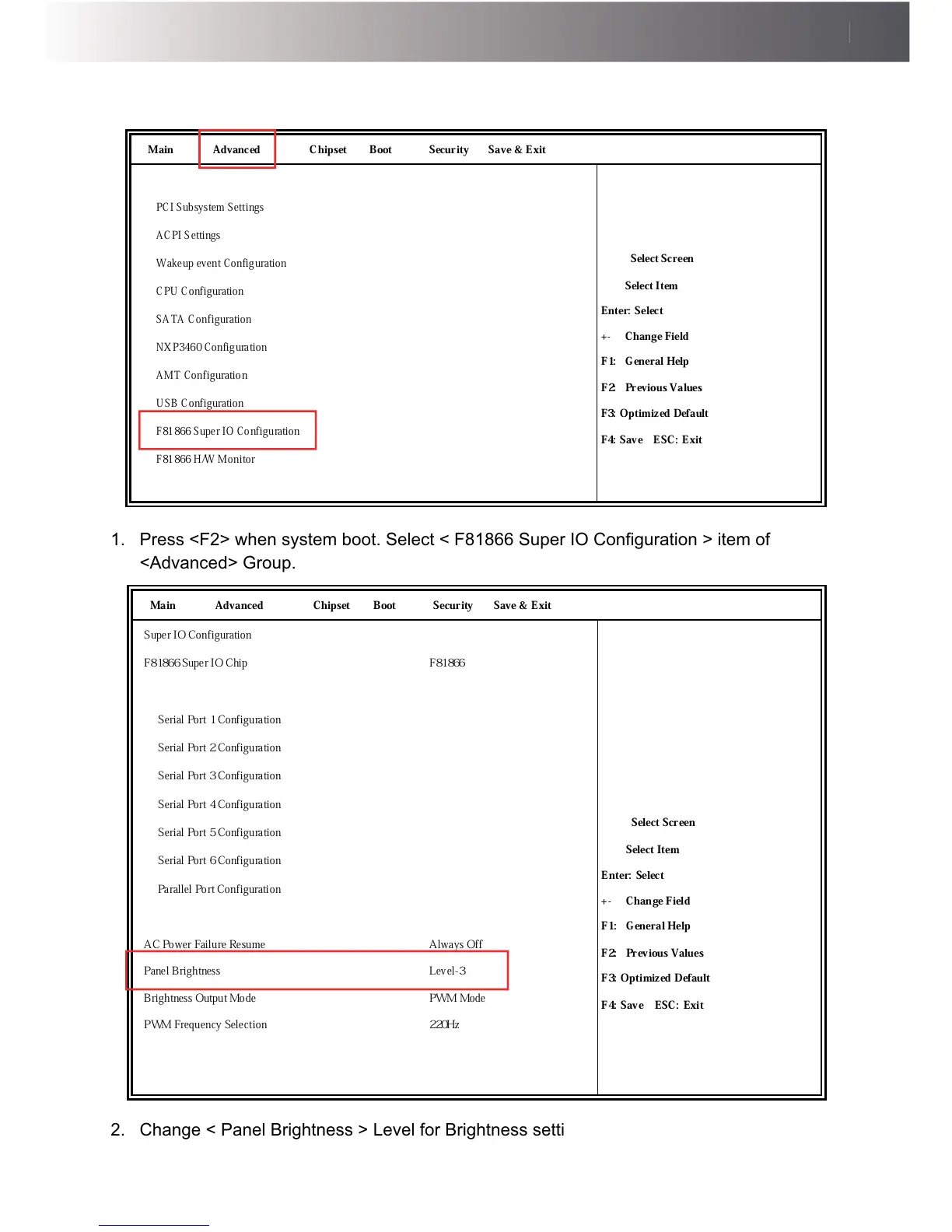
1. 3UHVV)!ZKHQV\VWHPERRW6HOHFW)6XSHU,2&RQ¿JXUDWLRQ!LWHPRI
<Advanced> Group.
Main Advanced Chipset Boot Security Save & Exit
Super IO Configuration
→ ←
Select Screen
↑ ↓ Select Item
Enter: Select
+- Change Field
F1: General Help
F2: Previous Values
F3: Optimized Default
F4: Save ESC: Exit
F81866 Super IO Chip F81866
► Serial Port 1 Configuration
► Serial Port 2 Configuration
► Serial Port 3 Configuration
► Serial Port 4 Configuration
► Serial Port 5 Configuration
► Serial Port 6 Configuration
► Parallel Port Configuration
AC Power Failure Resume
Panel Brightness
Brightness Output Mode
PWM Frequency Selection
Always Off
Level-3
PWM Mode
220Hz
2. Change < Panel Brightness > Level for Brightness setting.



 To Next Page