Installing the Wireless Module (Optional)
WARNING:
Be sure to turn off the power of the Touch Terminal before making any
connection or disconnection.
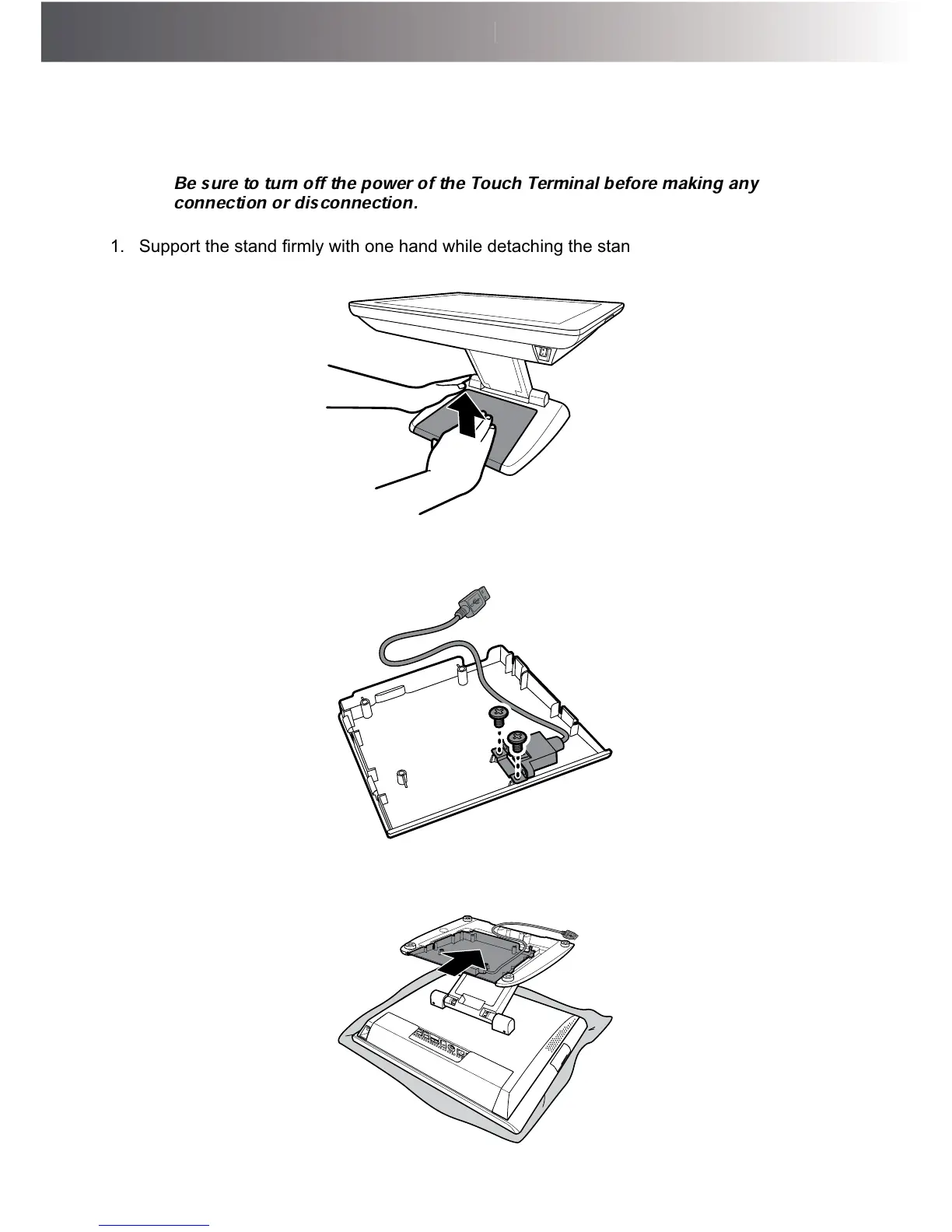
1. 6XSSRUWWKHVWDQG¿UPO\ZLWKRQHKDQGZKLOHGHWDFKLQJWKHVWDQGFRYHUIURPWKHVWDQGZLWK
the other hand.
2. Install the wireless module into its slot on the stand cover, as shown in the illustration below.
Then secure the cable bracket to the stand cover with the two screws (FУM3x4).
3. 3ODFHWKH7RXFK7HUPLQDORQDVRIWDQGÀDWVXUIDFHZLWKWKH/&'SDQHOIDFLQJGRZQ,QVWDOO
the stand cover onto the stand.



 To Next Page