42
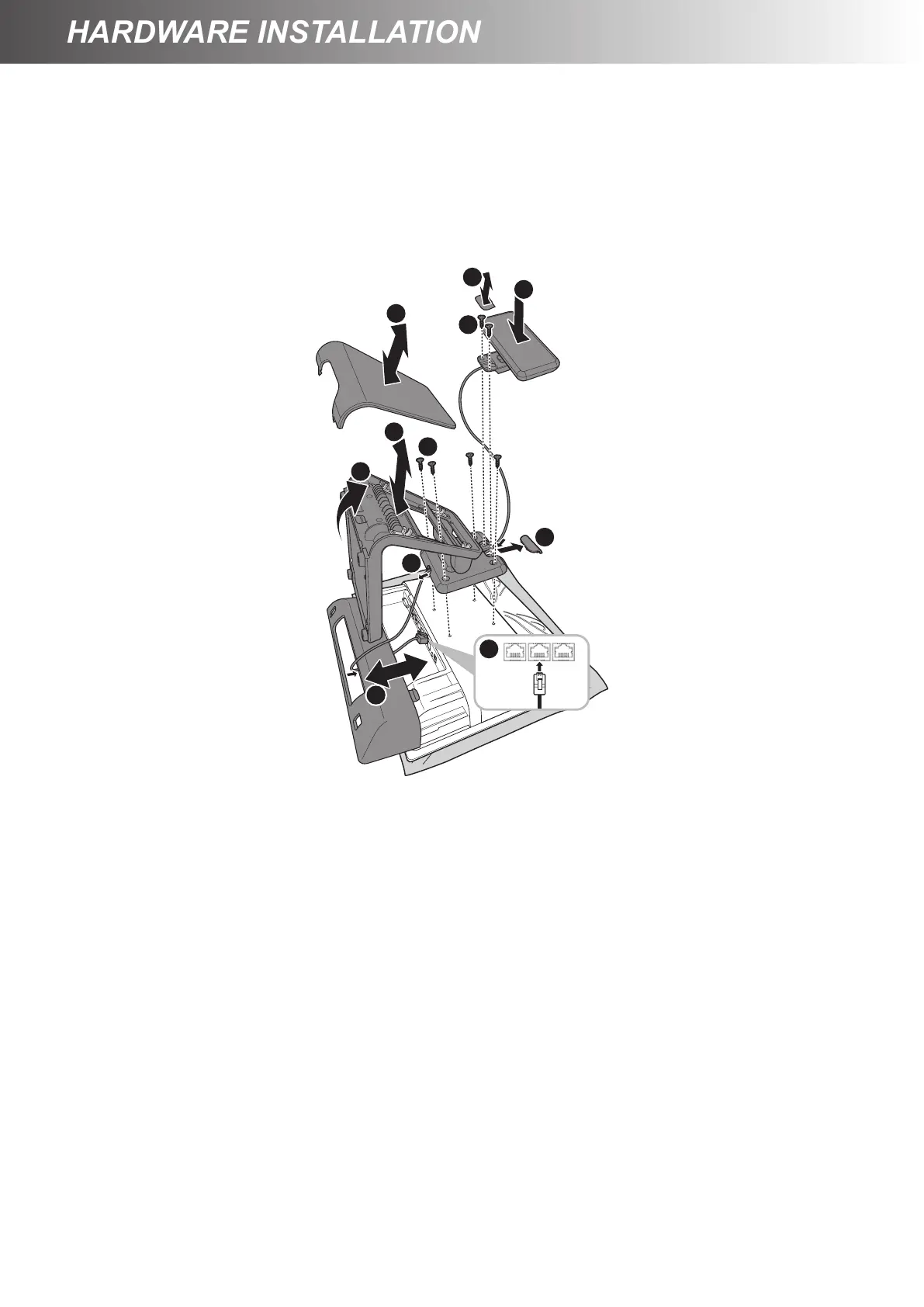
12. Replace the cable compartment cover. (c)
13. Align and install the customer display into its slot on the panel stand. (i)
14. Secure the customer display to the Touch Terminal using the two screws. (j)
15. Replace the customer display compartment cover. (g)
16. Connect the customer display’s interface cable to the corresponding port on the Touch Terminal. (k)
17. Replace the connectors cover. (a)
h
i
j
k
d
e
b
a
f
c



 To Next Page