30
CG
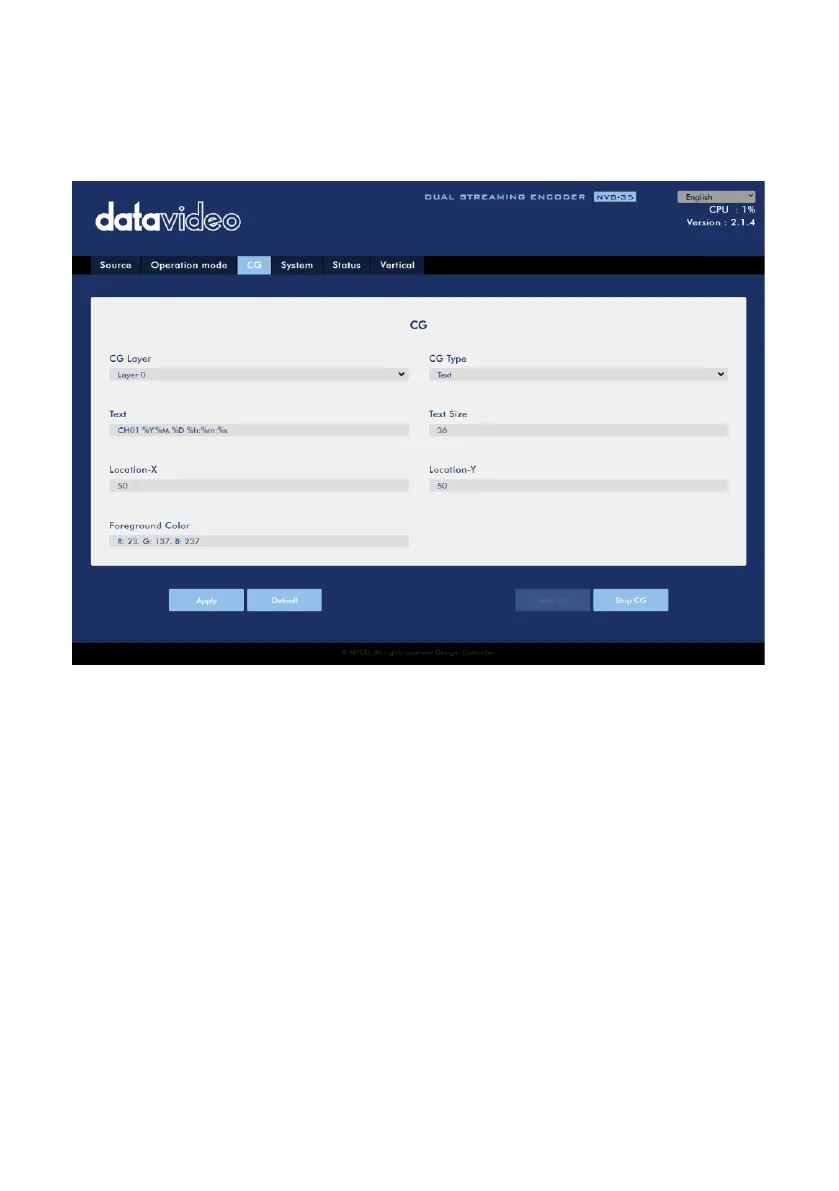
The CG function allows the user to place a textual or picture layer on top of the video.
The CG settings are shown in the diagram below.
CG Layer
You are allowed to toggle the CG text or picture between four layers, from layer 0 to
layer 3.
CG Type
You may select to place a text (Text) or graphic (Picture) CG object on your video
from the drop-down menu.
Text
After setting the CG type to Text, you will be allowed to enter the text that you want
to place on the video.
Enter CG text in the Text field and CG text font size in the Text Size field.


 To Next Page