48
Follow the steps below to overlay text on the video:
1. Open the CG settings page.
2. Set the CG layer.
3. Select the Text CG Type.
4. Enter the overlay text in the Text field.
5. Enter the X and Y coordinates to set the position of the text overlaid on the
image.
6. Set the foreground color of the text.
7. Click Apply button to save CG settings.
Note: Increasing the X coordinate moves the overlay text to the right and
decreasing the X coordinate moves the overlay text to the left; increasing the Y
coordinate moves the overlay text up and decreasing the Y coordinate moves the
overlay text down.
3.4 Stream and Record Buttons
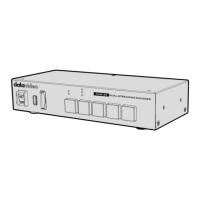
The INPUT, RECORD, STREAM, VERTICAL and BITRATE buttons on the front panel
give the user certain controls of the record and stream functions. In this section, we
will cover operations of these four buttons in detail.


 To Next Page