35
After you’ve selected how you want to set the device time, select a time zone from
the Timezone drop-down menu. For example, UTC+1 a time offset that adds one
hour to Coordinated Universal Time and UTC-1 is one hour behind Coordinated
Universal Time.
NTP Server
If you’ve selected “Automatically from the Internet,” you will need to enter the NTP
server address here. An example of the NTP server address is time.google.com.
Manual
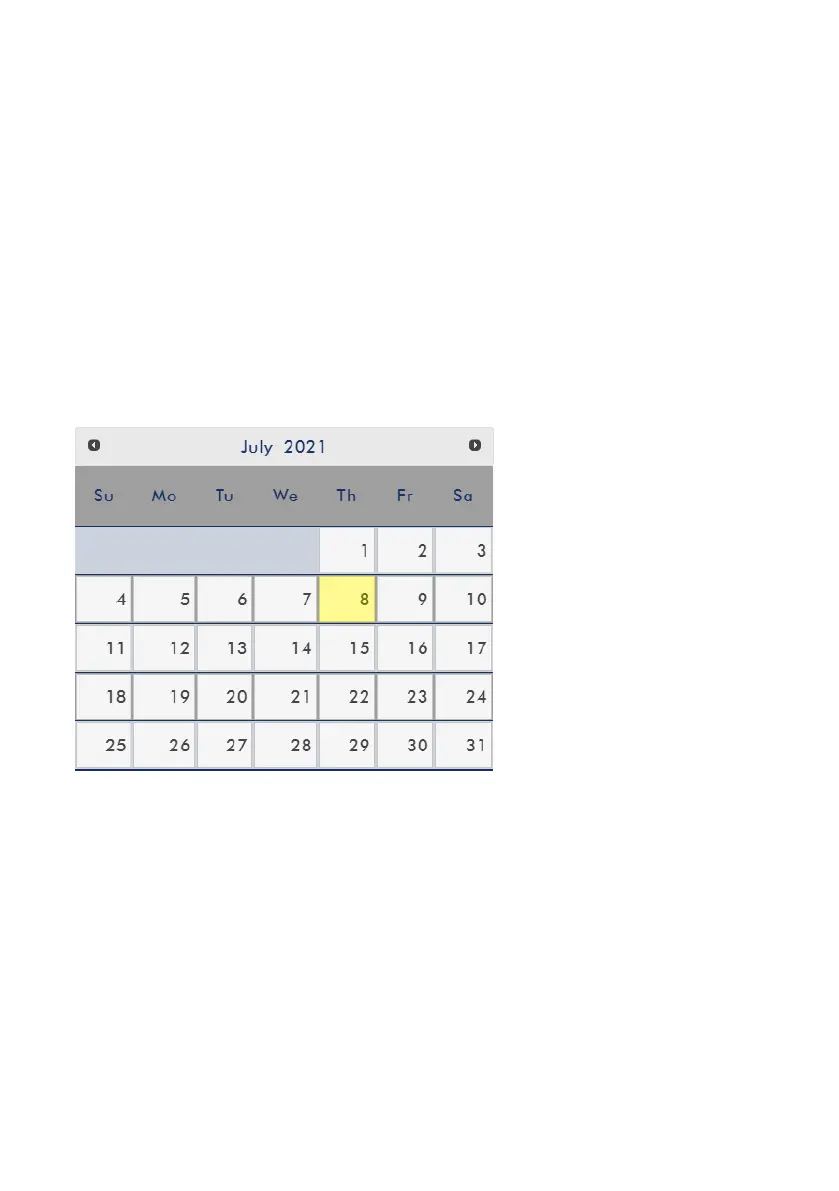
If you’ve selected “Manual”, the Date and Time fields will appear showing the
device’s system date and time values. A calendar will appear after the Date field is
clicked. Simply click a day to set the date. Enter the time in the Time field.
After you’ve configured the time settings, click Apply to save the new settings.
Firmware Update
Click Browse to search for the latest firmware file saved on the PC’s hard disk. Please
note that the device will verify the selected file to make sure the correct firmware
file is uploaded. After the latest firmware file is uploaded, click Update to start the
firmware update.
Disk Information
In this pane, you will be allowed to select a storage device for disk formatting. The
available format types are listed as follows:


 To Next Page
 Loading...