Insert cable to dc jack to start charging.
When the device is turn on(holding turn on/off button), in display will show “CHG”
text and greed led “CHARGE” is blink.
5.2 Diagnostic information
• Holding <LF> button while power on for ~ 0.5 sec (first sound signal) – short self-
test.
• Holding <LF> button while power on for ~ 2.5 sec (second sound signal) – start
dump mode. All input data are printed hexadecimal and as text.
• Holding <LF> button while power on for more than 8.5 sec (fifth 4-tone sound
signal) – enter firmware
updating mode.
• Holding <ON/OFF> button while power on for ~ 4 sec (first sound signal):
- If serial cable is connected (RS232 communication) – temporary forcing 9600
bps serial
speed.
- If no serial cable connected (Bluetooth or USB communication) – starting a
hardware menu
for fast Bluetooth pairing info reset.
• Holding <ON/OFF> button while power on for more than 6 sec – enter hardware
setup mode.
• Holding <ON/OFF> button while power off for more than ~ 1sec.
• Holding <ON/OFF> button while less than ~ 1sec, backlight is turn on for short time.
• Holding <ON/OFF> button and press <LF> button – printing WIFI info.
5.3 Loading paper
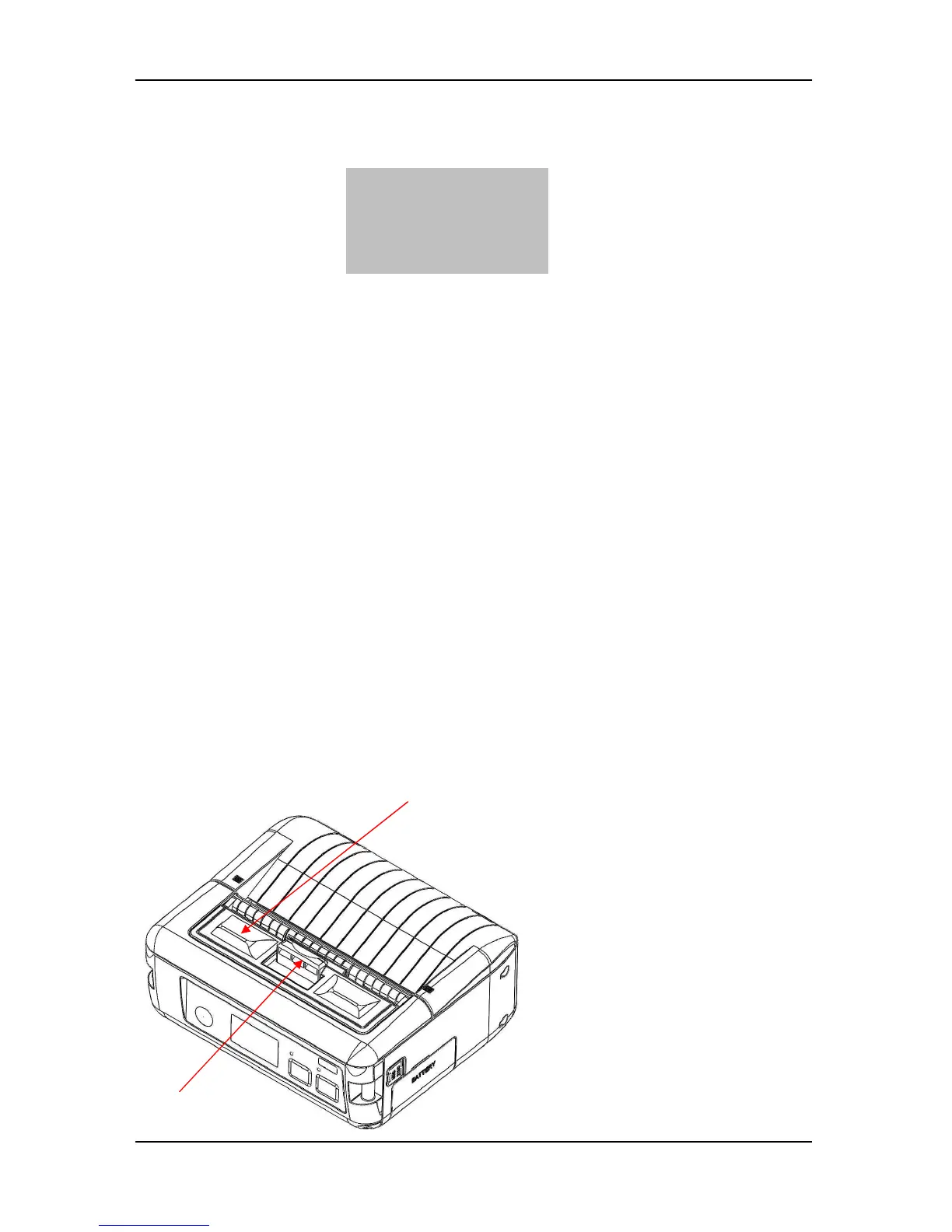
First slide peeler to position
show on the picture. After this
push to open paper cover.



 To Next Page